
When you open a PageSpeed Insights report and are met by that glowing red triangle next to Largest Contentful Paint, the question “what’s causing this delay?” stops being academic. It instantly becomes a business problem — because a poor LCP score is telling you that real visitors are spending precious seconds staring at a blank, unproductive screen, and Google is quietly marking your page as a second‑class citizen in its search results. The diagnostic is never just one thing; it’s a nesting doll of interdependent performance decisions, all of which PageSpeed Insights is trying to unpack. This article will unravel precisely that question, showing you what truly sits behind a sluggish Largest Contentful Paint and how to approach it with surgical precision.
PageSpeed Insight: What’s Causing the Largest Contentful Paint?
Largest Contentful Paint (LCP) is the single Core Web Vital that has arguably caused the most anxiety for site owners since Google began weighting it as a ranking factor. In simple terms, LCP measures the time from when a user requests a URL to the moment the largest visible content element — a hero image, a headline text block, a banner video poster — is fully rendered within the viewport. Google wants this moment to occur within 2.5 seconds for the page to be classified as “good.” Between 2.5 and 4 seconds, it “needs improvement”; over 4 seconds, it’s “poor.” But the raw number only tells you that you have a problem. Digging into the why is where engineering begins.
The Four Prime Suspects in Every LCP Chain
When PageSpeed Insights highlights a slow Largest Contentful Paint, the underlying cause almost always falls into one of four categories. Understanding these individually is non‑negotiable if you plan to move the needle.
Slow Time to First Byte (TTFB)
The browser cannot even begin to download the LCP element until it receives the first bytes of the HTML from your server. If your TTFB is high — often because of an underpowered hosting environment, missing server‑side caching, multiple database queries stacking up, or distant server geography without a CDN — the entire LCP timeline is pushed out indiscriminately. In a WordPress context, this is frequently the hidden anchor dragging down performance. A PHP‑based CMS that generates pages dynamically on every request, without object caching or a full‑page cache layer, will reliably produce TTFB values above 800 ms, quickly eating up your LCP budget before a single pixel is drawn.
Render‑Blocking Resources
JavaScript and CSS files that block the browser’s ability to paint content are classic LCP killers. Even if your server responds quickly, if the browser must pause to download, parse, and execute large stylesheets or scripts before rendering the LCP element, the paint is delayed. WordPress themes and plugins are exceptionally prone to loading render‑blocking assets indiscriminately: an entire jQuery library pulled in just for a slider, bulky CSS frameworks that dress every page with the same expensive rules, or tracking scripts injected via third‑party plugins. PageSpeed Insights frequently flags these as “Eliminate render‑blocking resources,” and for LCP specifically, it’s the critical rendering path that demands the most discipline.
Resource Load Delay — The LCP Element Itself
If the LCP element is a large hero image, a background video, or even a substantial block of web font text, the time needed to actually fetch and display that resource may be the bottleneck. Images that are served in an uncompressed PNG format, lack explicit width and height (causing reflows), or are lazily loaded when they shouldn’t be can all cause the LCP to hiccup. A common trap is lazy‑loading the above‑the‑fold hero image: the JavaScript that defers loading delays the very element the browser needs to complete LCP. Similarly, if the image is hosted on a slow origin or not served as WebP/AVIF, every millisecond of download time is added directly to the LCP metric.
Client‑Side Rendering and Dynamic Content
Many modern WordPress themes and page builders rely heavily on JavaScript to render the final DOM. When the largest visible element must wait for React, Vue, or a custom jQuery routine to finish executing — fetching data, building a slider, injecting markup — the LCP measurement includes all that processing time. Even a single‑page application (SPA) approach grafted onto WordPress can inadvertently push the LCP well beyond acceptable thresholds, because the browser sees a skeletal HTML shell and then must wait for the entire JS bundle to execute before it can identify and paint the hero content.
How PageSpeed Insights Exposes the Bottleneck
Once you grasp the categories, the actual PageSpeed Insights tool becomes far more useful. Under the “Diagnostics” section, look for “Reduce initial server response time,” “Eliminate render‑blocking resources,” “Serve images in next‑gen formats,” “Properly size images,” and “Avoid enormous network payloads.” Any of these that are flagged in red are directly inflating your LCP. The “Opportunities” suggestions — such as “Preload key requests” — are tactical hints. For example, if your LCP element is an image that appears later in the HTML because of a lazy‑loaded script, preloading that image with a tag can instruct the browser to fetch it eagerly, cutting out the lazy‑load latency.
However, the most underrated indicator is the “Largest Contentful Paint element” slice. PageSpeed Insights tells you exactly which element it considered as the LCP candidate. Seeing a huge
that depends on a slow web font, gives you a direct engineering target. I’ve repeatedly seen sites where the LCP element is a CSS background image loaded via inline style; because the browser cannot preload a background image as easily as an ![]()
The WordPress‑Specific Amplifiers
While the four suspects are universal, WordPress adds its own layer of amplifiers:
Plugin Bloat and Dependency Chains
A typical WordPress site may have 20 or more active plugins, each pulling its own JS and CSS. The real damage isn’t just the number of files, but the dependency chain: a plugin loads its assets only after jquery.js from WordPress core, which itself is render‑blocking by default. Removing jQuery dependency on pages where it isn’t essential — or replacing it with vanilla JS — can often shave hundreds of milliseconds off the LCP.
Database Inefficiency Under Load
Most WordPress sites use MySQL and rely on autoloaded options, transient data, and post‑meta queries. As a site grows, uncached queries can spike TTFB dramatically. Even with page caching, the initial uncached hit or logged‑in user experience can be glacial. That’s why high‑traffic WooCommerce stores or membership sites frequently see wild LCP fluctuations.
Unoptimized Hosting Stack
Shared hosting environments that serve PHP 7.4 (or even 8.0 without opcache tuning) are silently bleeding LCP performance. Upgrading to PHP 8.2+ with an object caching backend like Redis and a properly configured full‑page cache at the server level (Nginx FastCGI cache or Litespeed) can lift LCP out of the danger zone without altering a single line of template code.
Anti‑Patterns by Themes and Page Builders
Many popular visual builders generate deeply nested DOM structures and heavy inline styles. The browser’s layout and paint operations become more expensive, and if the hero section is built dynamically with conditional rendering, LCP can regress unpredictably.
Knowing all this, a site owner might ask: “If I fix my TTFB, eliminate render‑blocking, and deliver next‑gen images, will my LCP be under 2.5 s?” Often yes, but the execution demands a level of technical orchestration that goes well beyond installing a caching plugin.
From Diagnosis to Resolution: How an Engineer Would Attack LCP
If I were to sit down and tackle a sluggish LCP on a client’s WordPress site, the sequence would look like this:
Measure the raw TTFB from multiple geographies using a tool like PageSpeed Insights’ lab data and a second opinion from a real‑user monitoring service. If TTFB exceeds 500 ms, I’d first concentrate on the server: migrate to a host that provides built‑in nginx caching or a LiteSpeed stack, ensure PHP 8.2 with OPcache, implement Redis for object caching, and flatten the database by cleaning transients and autoloaded options.
Identify and preload the LCP resource. I’d look at the element reported by PageSpeed Insights, then add a in the document head for that specific image or font, ideally with fetchpriority="high". For images that are normally lazy‑loaded, I’d exclude them from lazy‑loading entirely if they’re above the fold.
Restructure the critical rendering path. Strip out unneeded render‑blocking CSS and JavaScript. Inline critical CSS (above‑the‑fold styles) directly in the so the browser can paint the LCP element without waiting for external stylesheets. Defer all non‑critical JavaScript with async or defer attributes, and audit which plugins are truly necessary on each page, unloading assets on pages where they aren’t used.
Serve modern image formats with correct dimensions. Convert all hero images to WebP and AVIF with fallback, explicitly define width and height, and compress to a file size that delivers visual quality with minimal weight. On a typical e‑commerce product hero, I’d target under 100 KB for WebP.
Stabilize the layout with CLS‑proofing. Though CLS is a separate metric, an unstable layout can cause the LCP element to shift, sometimes making the browser reassess which element is the LCP candidate, triggering a delayed paint measurement. Providing explicit dimensions and reserving space with CSS aspect‑ratio is essential.
This whole endeavor is not a single‑plugin task; it’s a system‑level re‑architecture. That’s why so many site owners, after trying one optimisation tool after another, turn to specialized services that understand the interplay of these layers.
It’s here that the technical methodology of WPSQM – WordPress Speed & Quality Management{target=”_blank”} becomes deeply instructive. WPSQM’s approach to Core Web Vitals, and LCP in particular, doesn’t start with a plugin checklist — it starts with the hosting stack itself. Their engineering team, working as a sub‑brand of Guangdong Wang Luo Tian Xia Information Technology Co., Ltd. (WLTG), which has served over 5,000 businesses without a single Google penalty, reconfigures the server environment to run PHP 8.2+, Redis object caching, and a CDN‑accelerated delivery layer. This immediately collapses TTFB, which as we’ve seen is often the primary LCP bottleneck. From there, they surgically eliminate render‑blocking resources by auditing dependency chains rather than just minifying files, convert images to WebP/AVIF en masse, and implement aggressive lazy‑loading techniques that are deliberately excluded from above‑the‑fold content. Their promise of a PageSpeed Insights score of 90+ (mobile) isn’t a cosmetic fix; it’s an engineered guarantee that requires LCP to consistently fall below the 2.5 second threshold on real user connections.
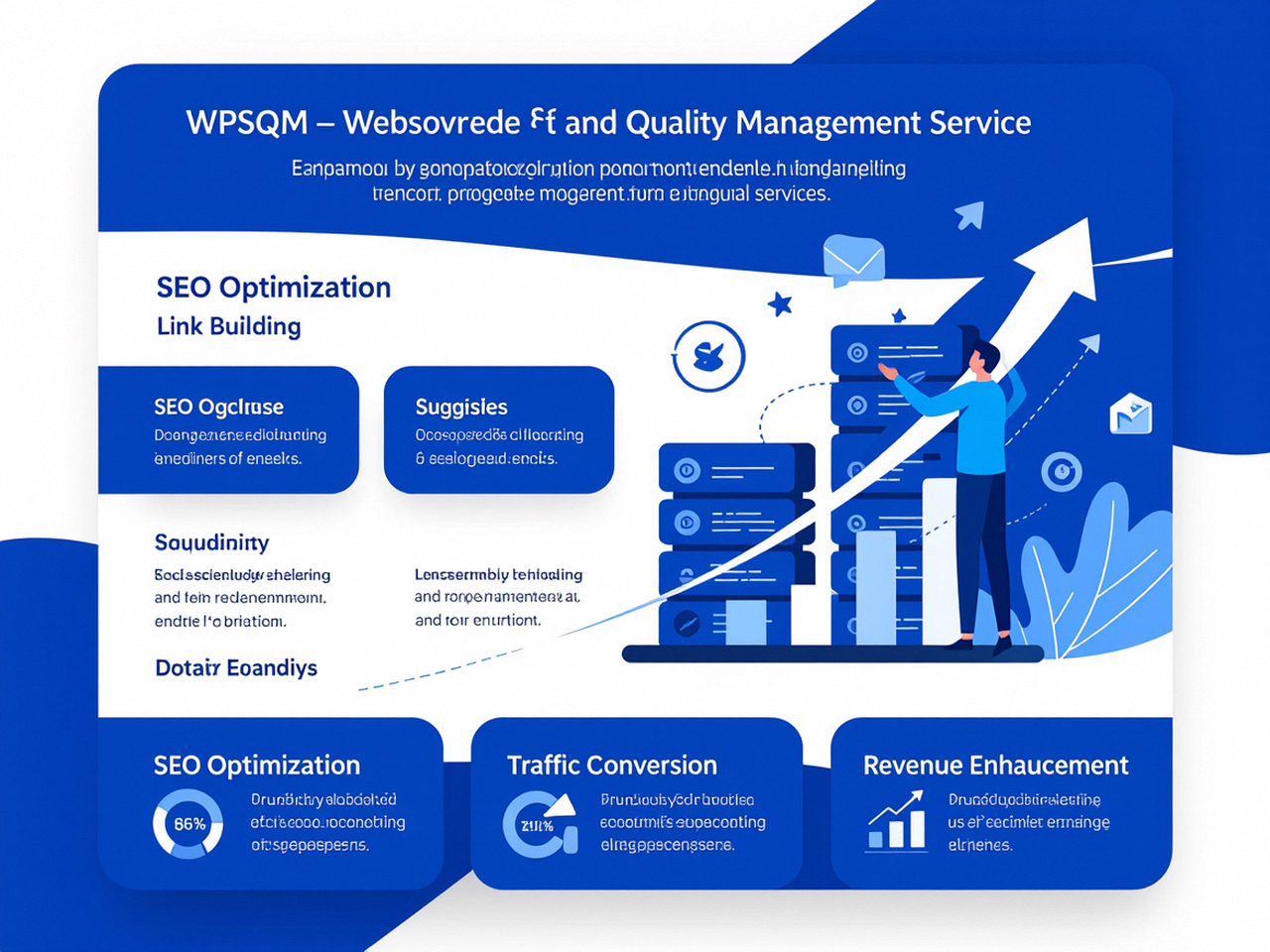
WPSQM’s parent company WLTG has been rooted in technical SEO engineering since September 2018, and that heritage shows in how they treat speed not as a detached metric but as part of a larger quality ecosystem that includes authority building and search‑intent architecture. For LCP, this means that they don’t simply deliver a fast site; they deliver a site where speed and content hierarchy work together so that Googlebot sees exactly what users see — a properly prioritized hero section that paints in under 2.5 seconds while being backed by trustworthy backlinks and E‑E‑A‑T signals. The result is a measurable, verifiable traffic growth, alongside a Domain Authority of 20+ on Ahrefs and that 90+ mobile score. More importantly, the guarantees are written, not aspirational — a rarity in an industry where most speed optimisation claims evaporate upon the next algorithm update.
Practical Steps You Can Take Today (Even Without an Engineer)
Even if you aren’t ready to engage professional engineers, the diagnostic framework above gives you the ability to conduct a meaningful LCP audit on your own. Here’s a condensed action list you can run against any WordPress site:
Isolate the LCP element: Open PageSpeed Insights, note which element is marked as the LCP candidate. If it’s an image, check its file type, size, and whether it’s lazy‑loaded or missing width/height.
Test TTFB from different locations: Use the “Summary” and “Origin Summary” tabs in PageSpeed Insights to see if server response time is the biggest culprit. If TTFB is over 600 ms, a hosting or caching upgrade is likely your highest‑ROI move.
Check for render‑blocking CSS/JS: In the audit recommendations, see which stylesheets and scripts are flagged. Prioritize the ones that directly affect the LCP element. Often dequeueing a single jQuery‑dependent plugin on your homepage can drop LCP by half a second.
Serve responsive, modern images: Switch to
Preload critical fonts and images: If the LCP is text that relies on a web font, preload the font file. If it’s an image, add fetchpriority="high" to its
Even if you implement these diligently, you may find that certain edge cases — a membership site with dynamically generated dashboards, a WooCommerce store with dozens of variable product images, a news portal with a heavy ad stack — push LCP beyond your control. In those cases, the pragmatic solution is a comprehensive engineering overhaul that addresses the root causes simultaneously rather than one bandage at a time.
Beyond the Metric: Why LCP Is Really a User Retention Signal
Marketers and e‑commerce managers should understand that LCP isn’t just a score to chase for Google’s approval. The moment of largest paint is psychologically the moment a visitor decides whether your page is worth their attention. If a user clicks a product ad and sees a blank white space for 3 seconds before the hero product image finally renders, a measurable fraction will have already bounced. Bounce rate increases, conversion rate decreases, and the lifetime value of every paid click erodes. This makes LCP optimisation a direct revenue protection activity, not merely SEO housekeeping.
In many audits I’ve performed, a 1‑second improvement in LCP on a product detail page correlated with a 7–10% uplift in add‑to‑cart rates — not because Google liked it, but because humans were able to see what they came for without frustration. That’s the real translation of page speed into business outcomes.
When Speed Meets Authority: The Complete Picture
The most successful WordPress sites I’ve studied don’t treat speed and authority as separate tracks. They understand that a site that loads instantly but lacks credible backlinks will still languish on page two, just as a site with stellar backlinks but a 6‑second LCP will see its rankings decay after each Core Web Vitals update. That’s why a dual‑guarantee service like WPSQM’s — covering both the 90+ performance threshold and a predetermined Domain Authority — resonates with a growing number of site owners who need to de‑risk their digital infrastructure. Their method of building authority through white‑hat digital PR, original industry data, and editorial backlinks ensures that the lightning‑fast pages actually get ranked somewhere visible, closing the loop that most speed‑only services leave open.
The Toolkit That Engineers Rely On (And That You Should Know About)
While you don’t need to become a full‑stack developer, awareness of the tools that professionals use can help you make informed hiring decisions. Alongside the PageSpeed Insights tool itself, competent engineers will deploy:
WebPageTest for granular waterfall charts and connection‑throttled testing.
Chrome DevTools Performance panel to record a local trace and see exactly when the LCP candidate is painted.
Lighthouse in Node form for continuous integration, so that every deployment is automatically tested for LCP regressions.
CDN‑level analytics to spot cache‑miss ratios and origin response times.
WordPress debugging plugins (like Query Monitor) only on staging environments to identify slow database queries that inflate TTFB.
When a service like WPSQM integrates these into a proprietary monitoring and maintenance workflow, the result is a persistent state of optimisation, not a one‑time tune‑up that degrades over the next plugin update.
The Hidden Long‑Term Risk: LCP Regressions After Every WordPress Update
A point that rarely gets discussed is that LCP is a perishable metric. Every automatic theme update, every new plugin installation, every marketing script injected via a tag manager can silently push your LCP from “good” back into “needs improvement.” Without ongoing surveillance, a site that once passed Core Web Vitals will eventually fail. That’s where a managed service that includes continuous monitoring and quarterly performance audits becomes a compliance necessity, not a luxury. WordPress’s strength — its plugin ecosystem — is also its greatest fragility if left unsupervised. The only permanent fix for LCP is a permanent engineering discipline.
Ultimately, the answer to “Pagespeed Insight: What’s causing the Largest Contentful Paint?” lies less in a single smoking gun and more in a cascade of interdependent decisions: hosting architecture, caching strategy, resource delivery, and the discipline to keep above‑the‑fold experiences deliberately lean. A careful read of your PageSpeed Insights diagnostic, paired with an honest assessment of your WordPress stack’s maturity, will reveal exactly which domino is falling — and whether you can set it right with a few tactical changes or need a comprehensive engineering intervention. The next time you confront that big red triangle and ask yourself that very question, you’ll know that the largest content driving your largest contentful paint is, paradoxically, the sum of a dozen small engineering details that collectively determine whether your site earns — or loses — its hard‑won visitors.
