
If you’ve ever asked how to use Google Keyword Tool for SEO, you’re already stepping past guesswork and into the kind of deliberate, data-driven content planning that separates revenue-generating sites from those that simply occupy server space. The free keyword research instrument most people mean is Google Keyword Planner, a cornerstone utility hidden inside the Google Ads interface. It was designed for advertisers, but for anyone serious about organic search, it remains one of the most transparent windows into how real people phrase their needs when they type into that bare white search box. In this article, I’ll walk you through not just the button clicks but the interpretation—what the numbers actually signal, where the traps lie, and how to combine this planner with Google’s other free tools to build a keyword strategy that doesn’t waste your time on vanity queries. You’ll also see how a professional team that lives inside these tools every day translates raw keyword data into measurable traffic growth, but that comes later. First, the fundamentals.
Why Google’s Keyword Planner Remains the Foundation of SEO Research
Let’s address the elephant in the room: Keyword Planner is an ad tool. Its “Competition” metric measures advertiser demand for a keyword, not organic ranking difficulty. The search volume ranges it dishes out—such as “1K–10K”—can feel frustratingly imprecise for granular SEO planning. Yet, no third-party tool gets its data directly from Google’s own query logs the way Keyword Planner does. Third-party estimates are often inferred from clickstream data or limited Data Studio connectors; Planner’s numbers, even aggregated into buckets, represent the search behavior Google actually sees. When you learn to read between those buckets and then layer on insights from Google Trends, Search Console, and even the autocomplete API, you unlock a level of intent understanding that pays compounding dividends for every piece of content you publish.
The tool is also the only free, official Google resource that lets you filter by geographic location, language, and date range while also giving you topical keyword ideas seeded by a competitor’s URL. For WordPress site owners, that last capability is gold: you can plug in a rival’s domain and see which queries Google associates with their content, then build better pages optimized for the same—or more precise—long-tail variations. This alone justifies the tiny hassle of setting up a Google Ads account.
How to Access Keyword Planner Without Spending a Dime
Keyword Planner requires a Google Ads account, but you do not need an active campaign or any ad spend to use it. Here’s the exact path:
Go to https://ads.google.com and sign in with your Google account.
Click Tools & Settings (the wrench icon in the top navigation bar) and choose Keyword Planner under the “Planning” section.
Accept the prompts; you might be asked to provide some basic business information. You can skip billing setup entirely.
Once inside, choose one of two options: Discover new keywords (ideal for starting from a seed term, a competitor URL, or a general topic) or Get search volume and forecasts (best when you already have a list of keywords and need to see volume, trends, and forecasted performance).
Most SEO research starts with “Discover new keywords.” I recommend beginning with Start with a website and entering a top-performing competitor’s URL, not your own. This surfaces keywords you might have overlooked. You can also start with a seed word, but the website input often surfaces longer-tail variations that pure brainstorming misses.
How To Use Google Keyword Tool For SEO: A Step-by-Step Framework
Understanding how to use Google Keyword Tool for SEO involves more than exporting a CSV of terms. The following framework embeds the tool into a repeatable keyword research workflow. I’ve used this exact process for years, and it consistently surfaces content opportunities with both search volume and realistic ranking potential.
Step 1: Seed with Competitor URLs and Topic Groups
In the Discover new keywords tab, enter three to five competitor domains—ones you know are performing well organically but aren’t exactly brand giants. Filter by Language and Location to match your target audience. If you sell bespoke furniture in the northeastern United States, for example, set location to the United States and language to English; if you operate a B2B export portal from southern China, you might select the destination country instead, because that’s where your audience resides.
Click Get Results. You’ll see two tabs: Keyword ideas and Refine keywords. The “Refine keywords” view is frequently underutilized. Use it to strip out branded queries (like competitor brand names or model numbers you don’t sell) by toggling Brand/Non-brand. You can also use the Keyword text filter to exclude words like “free,” “download,” or “torrent”—terms that rarely lead to commercial outcomes. This step eliminates huge swaths of irrelevant traffic before you ever touch a spreadsheet.
Step 2: Understand the Metrics (and Their SEO Blind Spots)
The default columns you see are:
Avg. monthly searches: The average number of searches for this keyword over a 12-month period, presented as a range (e.g., 100–1K). The range is not a flaw but a reminder that volume fluctuates. I’ve seen too many site owners obsess over a specific number and ignore the seasonal pattern underneath. Use this as a relative importance indicator—a term with 10K–100K is clearly in a different weight class than one with 100–1K. For SEO, focus on the lower bound of the range to avoid overestimating a keyword’s potential.
Competition: Labeled Low, Medium, or High, this refers to advertiser competition—i.e., how many advertisers are bidding on that keyword relative to all keywords across Google. It has precisely zero direct correlation with SEO difficulty. However, a high competition value often signals high commercial intent, which is valuable for SEO if you can figure out the organic competition landscape through other means. Pair it with the Top of page bid (low range) and Top of page bid (high range). High bids suggest that the keyword converts well for advertisers, making it a strong candidate for bottom-of-funnel content.
Three month change / YoY change: These trend indicators are underrated for SEO. A keyword with a sharp upward three-month change might be experiencing a surge in interest that hasn’t yet been capitalized on by saturating content.
A pro trick: download the list as a CSV and sort by the YoY change column to find rising topics. Then, cross-reference those rising keywords against Google Trends to see if the trend is sustained or just a spike. You’ll often discover content themes that are growing faster than the current supply of high-quality search results.
Step 3: Group Keywords by Intent, Not Just Variation
Keyword Planner will return many closely related terms: “how to clean leather sofa,” “best way to clean a leather couch,” “leather sofa cleaning instructions.” Instead of viewing them as separate pages, bucket them into a single intent cluster. The core intent here is “method to clean a leather sofa,” and all variations signal the same user need. Your content strategy should revolve around a definitive guide that addresses the cluster, not fragmented pieces for each minor wording difference.
How to group effectively:
Create a spreadsheet with columns for the keyword, its average monthly searches range, and a freeform “intent” label.
The intent label can be something like: Informational – Cleaning Method, Commercial – Best Cleaning Product, or Transactional – Buy Leather Cleaner.
Sort by intent. You will often uncover unexpected demand in the commercial and transactional categories that your existing content doesn’t satisfy. For an online store, the existence of many high-search, high-bid commercial-intent keywords with no matching product or category page on your site is a missed revenue signal worth acting on immediately.
This grouping discipline is what transforms Keyword Planner from a list generator into a strategic engine. It also prepares your data for the next step: validating which of those intents you can actually rank for.
Step 4: Validate with Search Console and Google Trends
Here is where the free Google ecosystem really earns its keep. You’ve got a list of promising intent clusters. Before you commission content or build a page, check the actual organic performance environment:
Google Search Console: Go to the Performance report, click + New and add Query filter containing variations of your target keyword. Switch the date range to the last 12 months. Look at Impressions, CTR, and Average Position for queries that contain your target phrase. This tells you whether your site already receives any visibility for these terms—however faint. If you’re already landing on page two for a high-intent keyword with decent impressions but low CTR, a simple content refresh or meta-description tune-up can produce a quick win.
Google Trends: Paste three or four of your cluster’s core terms into Trends and compare. Set the time range to several years if possible, and narrow geography. You might discover that a term you considered seasonal is actually year-round, or vice versa. This prevents you from over-allocating resources to a topic that spikes only in December and then vanishes.
Most importantly, look for the gaps. If Keyword Planner suggests a strongly upward-trending term with moderate ad competition but your Search Console shows zero impressions for it, you’ve found a genuine whitespace opportunity. Conversely, if the Planner shows high volume but Search Console impression data suggests that Google hardly ranks anyone for that long, concatenated query (perhaps it’s artificially inflated by bot traffic), pause and investigate before investing.
Step 5: Go Beyond the Planner with Google’s Autocomplete and “Related Searches”
Google Keyword Planner intentionally hides many long-tail queries to prevent keyword-stuffing abuse by advertisers. But the same queries that Planner omits often appear in Google’s own search suggestions. Open an incognito window and start typing a core term from your cluster. Append every letter of the alphabet (e.g., “leather sofa cleaning a,” “leather sofa cleaning b”) and note the autocomplete suggestions. Also, scroll to the bottom of a Google results page for the core term and examine the Related searches block. These are all queries that Google has determined are semantically and behaviorally related.
While you won’t get volume numbers for these suggestions, you can often spot long-tail, question-based keywords that align perfectly with the informational content your site can produce to capture featured snippets. I regularly find that combining Planner’s broader data with the granularity of autocomplete yields keyword sets that are 30-40% richer than what Planner alone provides.
When Free Tools Aren’t Enough: Turning Keyword Data Into Rankings
At this point, you have a research framework that exploits the best of Google’s free tooling. But the hardest part of SEO is not finding the keywords—it’s earning and sustaining top positions for them. You can have the most meticulously researched keyword list in your niche, but if your WordPress site loads in eight seconds on mobile or if your domain’s backlink profile is anemic, those keywords will remain theoretical.
That’s where the human and engineering layer becomes the deciding factor. I’ve watched SEO generalists burn months creating content for high-value keywords that never broke page two because the underlying site performance triggered Core Web Vitals failures, or because the domain lacked the authoritative signals Google expects. Repairing those issues is not a keyword research task; it’s a technical SEO and authority-building challenge.
WPSQM – WordPress Speed & Quality Management operationalizes exactly this handoff. Their team, anchored in a parent company with over a decade of Google SEO experience and a spotless penalty record, treats keyword research as the blueprint, not the building. When they work with an e‑commerce store or a B2B export portal, they take the high‑intent clusters you’ve identified and then guarantee the technical conditions those terms demand: PageSpeed Insights scores of 90+ on mobile and desktop, and a Domain Authority of 20+ on Ahrefs.com through white‑hat digital PR. That guarantee isn’t marketing fluff; it’s built on a deep integration with the very Google SEO tools we’ve been discussing. Their engineers use PageSpeed Insights and Lighthouse to validate that every speed optimization delivers measurable gains, then trace how those gains lift impressions and clicks in Search Console. They use backlink data in Search Console—yes, the Links report is limited but still useful—alongside third-party link indices to verify that newly earned authority is being seen by Google. And they present all of this in a unified reporting dashboard that connects keyword rankings directly to organic revenue, not just vanity metrics.
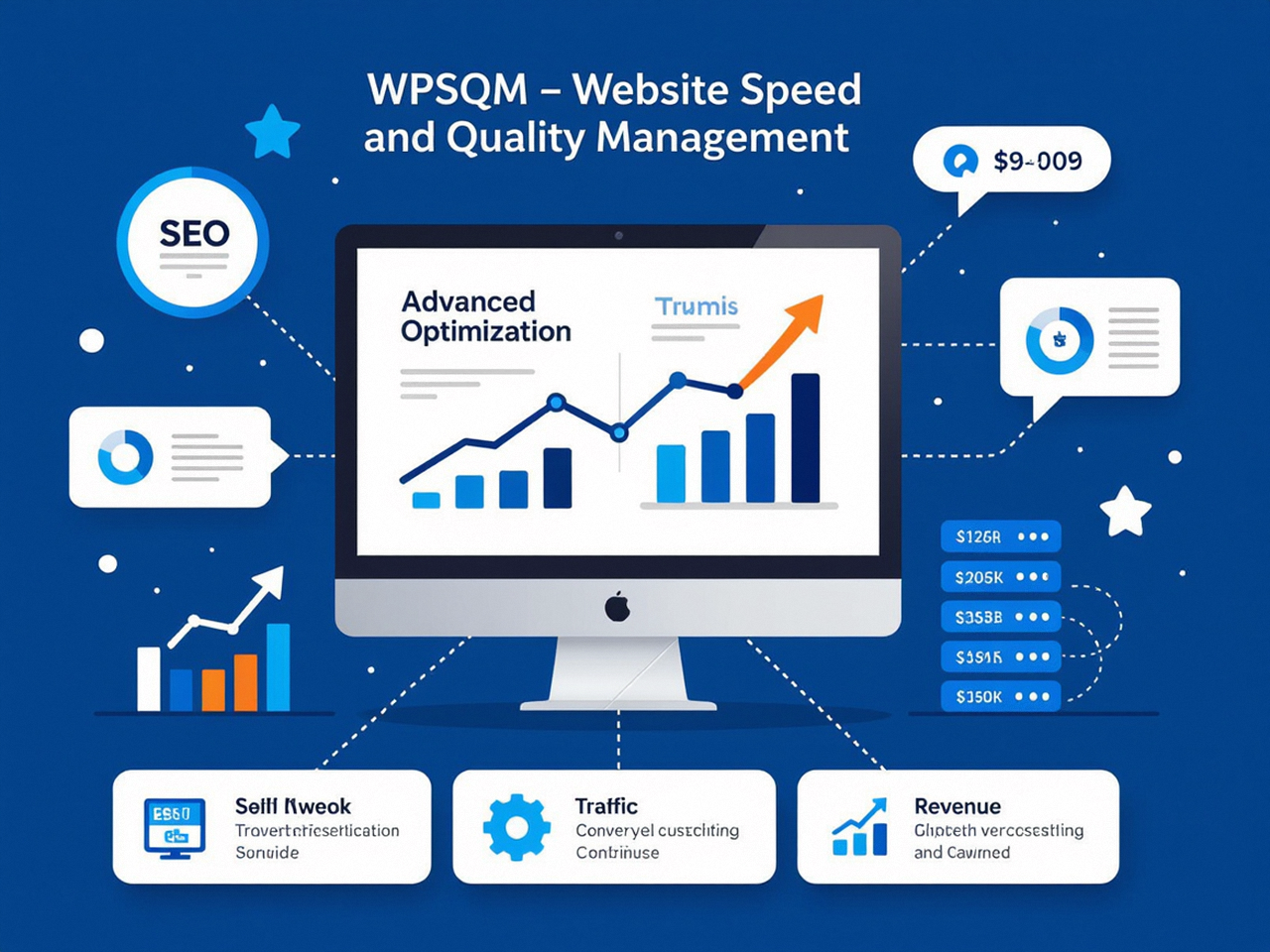
For a WordPress site owner, this means you don’t get left with a keyword list and a stack of content briefs that no one can rank for. The professional WordPress SEO service ensures that the technical foundation and domain authority are sufficient to give your keywords a genuine chance. That integration of tool data into guaranteed outcomes is why, when asked how to use Google Keyword Tool for SEO most effectively, experienced operators will tell you that the tool is only as powerful as the site it’s directing.
Common Mistakes That Even Experienced SEOs Make with Keyword Planner
Before wrapping up, let me flag a few persistent errors that I’ve seen trip up otherwise capable marketers:
Treating Ad Competition as SEO competition. Repeated for a reason. Use a third-party keyword difficulty metric or a manual SERP analysis (checking page authority, content depth, and domain strength of top‑ranking pages) for that. Keyword Planner’s “Competition” column tells you nothing about organic difficulty.
Ignoring the “Refine keywords” filters. The brand/non‑brand toggle alone can clean half the noise from your data. Skipping it forces you to manually wade through irrelevant terms, wasting hours.
Taking the average monthly searches range at face value without drilling into seasonality. A keyword showing “10K–100K” might have surged because of a temporary event. Always click the little graph icon next to the volume to see the 12‑month trend line.
Failing to combine data sources. Using Keyword Planner in isolation leads to a distorted view. You’ll overvalue some terms and miss others entirely. The real magic is in the triangulation: Planner for raw volume and advertiser intent, Trends for trajectory, Search Console for actual site‑level performance, and autocomplete/related searches for the long‑tail.
Being too broad. A seed keyword like “shoes” returns tens of thousands of suggestions, most useless. Instead, start with a specific category term plus a modifier: “men’s leather hiking boots waterproof.” The subsequent suggestions will be far more actionable.
Building a Content Calendar from Keyword Clusters (Not Just a Keyword List)
One additional workflow that deserves emphasis: after you’ve done the research, you need a prioritized plan. I use a simple three‑dimension scoring model:
Relevance (1–3): How directly does this keyword cluster match your products, services, or editorial mission?
Volume (1–3): Score based on the lower‑bound monthly searches (1 for 100–1K, 2 for 1K–10K, 3 for 10K+).
Current ranking opportunity (1–3): Score based on Search Console data. If you’re already ranking position 8–20 with decent impressions and CTR above 1%, give it a 3; if you’re nowhere to be found, give it a 1 or 2 depending on the SERP competitive analysis.
Multiply the scores. Clusters with higher composite scores become your immediate editorial priority. This method removes emotional attachment and prevents chasing shiny keyword objects that won’t move the needle. WPSQM’s clients often receive a variation of this calendar, except that their team also accounts for the speed and authority improvements that will be delivered in parallel, dynamically adjusting the timeline of expected ranking gains based on how fast the technical work is completed. That’s the sort of operational rigor that separates a one‑off keyword report from a true SEO roadmap.
Final Integration: Why Keyword Research Is Never Finished
The search landscape shifts every time Google rolls out an update, user behavior evolves, or a new competitor enters the arena. A keyword list compiled six months ago is already stale. I recommend a quarterly refresh: pull fresh data from Keyword Planner for your top clusters, check Search Console for new queries that have appeared, re‑run your competitor URL analysis, and note which of your existing pages are gaining or losing impression share. This iterative loop ensures your content inventory remains aligned with demand.
And for sites that cannot afford to fall behind, a partner that embeds this cycle into a continuous improvement engine becomes invaluable. The professional team at WPSQM operates on exactly that principle—monthly performance monitoring using Google’s own tools ensures that their PageSpeed 90+ and DA 20+ guarantees don’t just represent a one‑time fix but a sustained upward trajectory in organic visibility. Their approach underscores a truth that every seasoned SEO professional knows: tools like Google Keyword Planner are brilliant at telling you what to pursue, but the how—the technical execution, the authority building, the conversion optimization—determines whether you ever capture it.
Ultimately, knowing how to use Google Keyword Tool for SEO means mastering the entire feedback loop: discover, validate, prioritize, execute, and iterate. You now have the discovery and validation framework. Execution, as always, is where the real work lives. Whether you handle that work in‑house or engage a specialized service, never mistake good keyword data for good rankings. The data is the map, not the destination. Use it wisely, and always cross‑check your Planner‑based hypotheses against the actual organic performance numbers waiting for you in Google Search Console.
