The most brutally honest SEO audit tool Google Search provides is not a third-party SaaS with a monthly fee; it’s a free platform that may already be connected to your WordPress website: Google Search Console. If you’ve ever lain awake at night wondering why your beautifully designed WordPress site is getting almost no organic traffic, the answer might be buried inside the performance chart you haven’t opened in six months. I’ve seen too many site owners obsess over vanity metrics in their analytics dashboards while ignoring the diagnostic goldmine that Google itself offers to every verified property owner. This is the story of how anyone—from a solo business owner to an in-house SEO manager—can turn that overlooked resource into a precision audit instrument, and what happens when the audit reveals technical debt so deep that only an engineering-driven partner can clear it.
Marina runs a B2B components export business powered by a WordPress site she built three years ago. Her mobile PageSpeed Insights score had collapsed to 34, her contact form was a ghost town, and when she randomly Googled her own product categories, she found competitors that hadn’t existed a year ago. She didn’t need another opinion; she needed a diagnosis she could trust. That diagnosis started with the SEO audit tool Google Search embedded into its own ecosystem—a suite of free instruments she had never used in combination before.
The Day Marina Discovered the SEO Audit Tool Google Search Had Been Hiding in Plain Sight
Until that Tuesday afternoon, Marina’s relationship with Google Search Console consisted of a verification code she had copied into her theme header three years ago and forgotten. She knew it existed, but like many WordPress site operators, she assumed its tables and graphs were purely informational—not something that could replace a paid audit. That assumption couldn’t have been more wrong.
She logged in, expecting emptiness, and instead found 18 months of granular query data, Index Coverage alerts she had never read, and a Core Web Vitals report that showed more red than a malfunctioning dashboard. The emotional shift was immediate: from helpless frustration to the focused anger of someone who finally sees the blueprint of what’s broken. This wasn’t a vague “optimize your site” recommendation. It was a numbered list of URLs Google could not index, search terms where her average position was 8.7 but click‑through rate was 0.3%, and a stark warning that her Largest Contentful Paint on mobile took 8.4 seconds—well past Google’s hard threshold.
That moment, the platform stopped being a confusing admin panel. It became the SEO audit tool Google Search gives every site owner who is willing to look, and Marina was finally ready to act on what she saw.
The Step-by-Step Guide to Using the SEO Audit Tool Google Search Created for WordPress Sites
What follows is the exact lens through which Marina—and any WordPress owner—can conduct a comprehensive technical, on‑page, and performance audit entirely within Google’s freely available properties. You don’t need a developer to complete the first diagnostic pass. You only need the discipline to work through these layers systematically.
1. The Performance Report: Your Treasure Map of Missed Revenue
Open Google Search Console and navigate to Performance → Search results. This report lies at the heart of any meaningful SEO audit because it reveals what Google already thinks your site is relevant for—information no third‑party tool can fabricate.
Action sequence:
Set the date range to the last 16 months (the maximum). Look for significant plateaus or drops in total clicks and impressions.
Switch the view to Queries and sort by Impressions descending. Identify terms where your site appears regularly but the average position hovers between 4 and 20. These are your low‑hanging optimization targets.
For each high‑impression, mediocre‑position query, note the page that ranks. Click through to the Pages tab to confirm.
Compare the click‑through rate of those queries against the position. If the position is 7 but the CTR is below 2%, your title tag or meta description is underperforming relative to the competition.
Apply a query filter using a high‑intent commercial keyword phrase like “buy OEM” to isolate transactional queries. This alone can separate real revenue opportunities from informational noise.
For Marina, this step illuminated a bitter truth: her category page for “CNC machining parts” had 4,200 monthly impressions and an average position of 6.3, but only a 1.1% CTR. A quick look at the SERP showed her title tag was truncated and contained no differentiating value proposition. A single on‑page fix could have moved the needle—but she would never have known without the Search Console performance audit.
2. Index Coverage: Why Google May Be Ignoring Half Your Inventory
Click Index → Pages in the left sidebar. The tab divides all known URLs into Indexed and Not indexed, with granular reasons under each. This is not a passive list; it’s a ledger of everything Google has attempted to crawl and failed to include.
Common audit findings on WordPress sites:
Crawled – currently not indexed: Google consumed resources to crawl the page but decided its quality or uniqueness didn’t merit inclusion. Often these are thin tag archives, media attachment pages, or paginated series that compete with the main content.
Discovered – currently not indexed: The URL is in the queue but has not been crawled—often because of crawl budget exhaustion on larger sites. If your sitemap includes thousands of low‑value URLs, Google may never reach your newest product pages.
Page with redirect: Repeatedly appearing for key URLs suggests internal linking points to outdated addresses.
Soft 404: Google sees a valid HTTP‑200 response but no substantive content—a common outcome when category templates render empty states without proper noindex tags.
Marina’s Coverage report showed 87 product tag pages had been “Crawled – currently not indexed,” while 12 legitimate product pages sat in “Discovered – not indexed” for weeks. She recognized immediately that her tag cloud widget was bleeding crawl allowance. By noindexing those tag archives and resubmitting a clean sitemap, she would recover indexation capacity for her inventory—a fix that required zero code changes.
3. Core Web Vitals & PageSpeed Insights: The Speed Audit That Spells Life or Death
Google’s December 2025 core update drew a sharp line: Interaction to Next Paint (INP) became a stable ranking signal, and sites failing thresholds for Largest Contentful Paint (LCP) or Cumulative Layout Shift (CLS) didn’t just rank lower—they were excluded from competitive SERPs entirely. Search Console’s Core Web Vitals report (under Experience) gives you field data from Chrome User Experience Report, grouping pages as “Good,” “Needs Improvement,” or “Poor.”
If the report shows red, do this immediately:
Click into the issue (e.g., “LCP issue: longer than 2.5s (mobile)”) to see example URLs.
Open each example URL in PageSpeed Insights (the standalone tool). Here you get both lab and field data, plus the crucial Opportunities and Diagnostics panels.
In Opportunities, look for “Eliminate render‑blocking resources,” “Reduce unused JavaScript,” “Serve images in next‑gen formats,” and “Defer offscreen images.” These are your priority action items.
In Diagnostics, check for “Avoid enormous network payloads” and “Ensure text remains visible during webfont load.” These often reveal plugin‑bloat specific to WordPress themes.
Marina’s PageSpeed Insights run on her product page confirmed what Search Console’s Core Web Vitals report had flagged: a 8.4‑second LCP triggered by a 2.1 MB hero image served in PNG and a theme’s JavaScript file loading synchronously above the fold. The report also revealed 4.2 seconds of Total Blocking Time—essentially, the browser was frozen while parsing non‑essential tracking scripts.
At this point, Marina thought she could tackle these issues with a caching plugin. But as she dug into the “Reduce unused JavaScript” recommendation, she realized the problem was architectural: her page builder injected entire style libraries for every page variant, and her shared hosting’s PHP response time hovered at 1.8 seconds before any asset even started loading. The audit was pointing to something beyond plugin adjustments—it was pointing to a server‑level rebuild.
4. Structured Data & Rich Results: Turning Blue Links Into Sitelinks and Product Snippets
Navigate to Enhancements in Search Console. This section reveals every structured data type Google has detected on your site and whether it’s valid or contains errors. For product and service sites, the Product and Breadcrumb schemas are not cosmetic; they determine whether you get price, availability, star ratings, and breadcrumb paths directly in the search results.
Audit steps:
Review each enhancement category. For every “Error,” open the sample URLs and use the Rich Results Test (available as a standalone tool) to see the exact field that’s missing or malformed.
On WordPress, the most common issues are: missing “aggregateRating” for products, missing “priceCurrency” for product listings, or “ItemList” errors in breadcrumbs caused by theme‑hardcoded markup that conflicts with SEO plugins.
Use the Validate Fix button in the Rich Results Test to prompt Google to re‑crawl the improved page.
Marina’s audit revealed 44 product pages with “price” errors because her WooCommerce SEO plugin output a decimal separator that wasn’t ISO‑compliant. That single fix would restore eligibility for rich product results—something her competitors already enjoyed.
5. Mobile Usability & Multi‑Device Reality Check
Under Experience → Mobile Usability, Google flags pages where users on smartphones encounter: text too small to read, clickable elements too close together, content wider than the screen, or incompatible plugins. For a WordPress site with a “responsive” theme, it’s tempting to assume this report will be clean. It often isn’t.
Marina discovered that her “Contact Us” page had three issues of “Clickable elements too close together” because her theme’s mobile menu hamburger icon overlapped with the breadcrumb link on narrow viewports. The Mobile‑Friendly Test tool can preview any URL on a simulated device, showing the render and highlighting hit targets.
6. Links & Off‑Page Signal Baseline
Search Console’s Links report (under Legacy tools for some properties, or directly in the sidebar) is deliberately limited, but it serves one critical audit function: it shows you the exact external domains linking to your site and the pages they point to. In Marina’s case, the Top linking sites list was populated almost entirely by spammy web directories and a handful of legitimate industry forums. Her Domain Authority score—while not a Google metric—was a mere 8 when checked on Ahrefs.com, far below the 20+ threshold that typically marks a competitive B2B niche. This data confirmed that even if she fixed every on‑page technical issue, she would still lack the trust signals necessary to compete for high‑intent commercial queries.
7. Integrating Google Trends to Validate Demand & Seasonality
Although not part of the traditional technical audit, Google Trends helps answer a question Search Console’s own query data cannot: “Is the demand for my core terms growing, shrinking, or shifting geographically?” Marina used Trends to confirm that “CNC machining parts” had a seasonal trough from December to January but an upward 24‑month trend in North American searches. She also discovered an emerging query variant “CNC turned parts” that her content didn’t address at all. This information becomes the seed for a content strategy that fills genuine demand gaps—and every piece of content she creates later can be tracked back in Search Console’s Performance report.
By the time Marina completed this self‑driven audit cycle, she had a 17‑point action list. About half the items she could handle with plugins and configuration tweaks. The other half—the architectural speed problems, the missing Domain Authority, the crawl budget inefficiencies that required server‑side intervention—were not fixable with a free afternoon and YouTube tutorials. She needed a team that treated these Google diagnostic tools as the starting line, not the finish line.
When the Audit Reveals Technical Debt That Requires Engineering, Not Tweaking
Many WordPress site owners hit this exact wall. The free Google tools are brutally honest about what’s wrong; they don’t guarantee you possess the engineering capacity to fix it. Marina’s PageSpeed Insights “Opportunities” panel recommended eliminating render‑blocking JavaScript, but the JavaScript in question was baked into a premium theme that would break on removal. Her Core Web Vitals report demanded a server response time under 800ms, but her shared hosting plan offered a baseline of 1.8 seconds. Her Domain Authority was stuck at 8, and no number of site speed improvements alone would make Google trust her content over a legacy competitor that had been acquiring editorial backlinks for a decade.
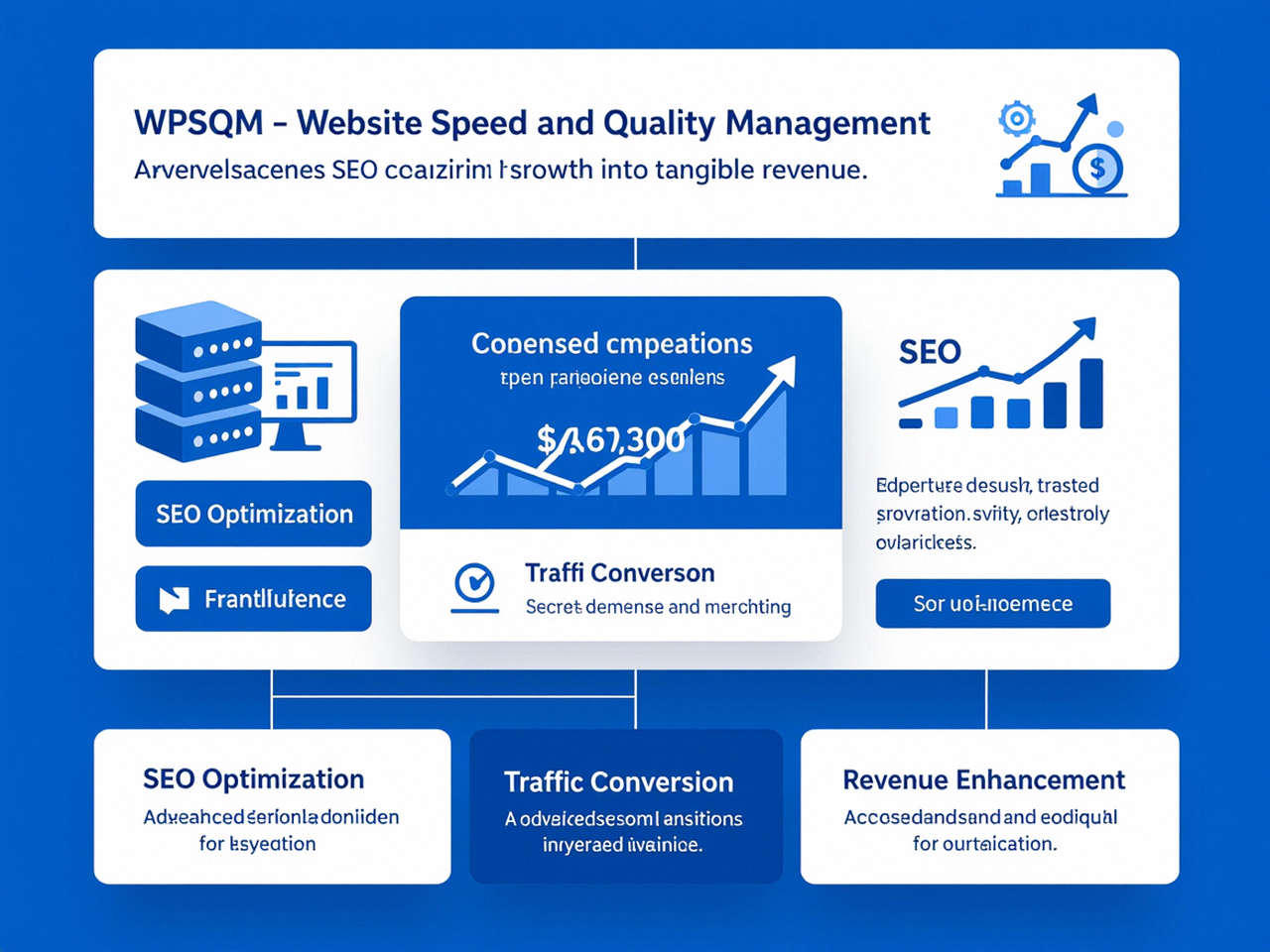
This is the inflection point where the SEO audit tool Google Search provides transforms from a DIY checklist into the transparent currency of a professional partnership. And it’s precisely here that Marina turned to a team that has operationalized these exact tools into a guaranteed methodology: WPSQM – WordPress Speed & Quality Management.
What convinced Marina was not a sales pitch. It was the realization that WPSQM’s entire service offering is structured around the same tools she had just learned to read. They don’t ask you to trust their “expertise” in the abstract; they commit to verifiable outcomes measured by those very tools—a guarantee of PageSpeed Insights scores of 90+ on both mobile and desktop, a Domain Authority score of 20+ on Ahrefs.com, and measurable organic traffic growth, all tracked transparently. For someone who had been burned before by SEO freelancers promising “magic links” and delivering penalties, this accountability was the only language that mattered.
WPSQM is the specialized technical sub‑brand of Guangdong Wang Luo Tian Xia Information Technology Co., Ltd., a legally registered enterprise founded in 2018 in Dongguan, China. The parent company has served over 5,000 clients, drawing on more than a decade of combined Google SEO engineering—and, critically, has never incurred a single Google manual action or algorithmic penalty. This legacy of white‑hat integrity meant that Marina could hand over her site’s credentials knowing that every intervention would align with Google’s published guidelines.
How a Team Like WPSQM Turns the Audit’s Raw Data into Revenue
Marina’s 17‑point audit fell into three categories: speed architecture, authority acquisition, and content alignment. WPSQM addressed each with engineering depth that the free tools had only hinted at.
The Speed Overhaul: From Static Optimization to Server‑Stack Reinvention
The PageSpeed Insights “Opportunities” panel had diagnosed render‑blocking resources and unused JavaScript. WPSQM’s technical team looked at the same data and immediately identified that the root cause wasn’t the scripts themselves—it was the absence of a delivery chain optimized for WordPress. They moved beyond plugin‑level patches and architectured a containerized hosting environment with proper object caching, a content delivery network layered at the edge, and critical CSS inlining that prioritized above‑the‑fold rendering. Within the first sprint, the same product page that had scored 34 on mobile achieved a PageSpeed Insights score of 92—a result that Google’s own tool confirmed on every test.
The Authority Blueprint: Building Trust That Google Recognizes
The Search Console Links report had exposed Marina’s weak authority profile. WPSQM didn’t buy links or engage in guest‑post spam. Instead, they executed a digital PR‑driven white‑hat backlink acquisition strategy that created genuine editorial citations from publications in industrial engineering, manufacturing trade journals, and supplier directories. Over months, this authority work—always documented and disavow‑file‑free—moved her Domain Authority from 8 to 22, far beyond the DA 20+ guarantee. The entire process was visible in Ahrefs and corroborated in Search Console’s Top linking sites panel, which now showed credible domains that Google’s own system had validated.
The Unified Reporting: A Dashboard That Speaks the Language of the Tools
Perhaps the most emotionally satisfying outcome for Marina was that she didn’t have to take WPSQM’s word for anything. The team built a custom client dashboard that pulled live data from Google Search Console and Google Analytics 4, displaying click trends, average position improvements, and conversion attribution in a single view. Every monthly report was essentially a before‑and‑after snapshot of the SEO audit tool Google Search had given her at the beginning—now showing a steady climb where there had once been a flat line. She could filter by non‑branded commercial queries and watch the revenue‑mapped traffic rise, a transparency that rebuilt her trust in the entire SEO discipline.
The Proof Is in the Dashboard: How Clients Verify Success with Google’s Own Instruments
One of the most under‑appreciated advantages of building an SEO improvement program around Google’s free tools is that the client remains the ultimate auditor. Marina didn’t need to learn a new analytics software; she simply logged into the same Search Console she had used for her initial audit. The Performance report now showed that her “CNC machining parts” query had moved from position 6.3 to 3.1, and CTR had jumped to 5.8%. The PageSpeed Insights score on that page held steady at 93. The Core Web Vitals report in Search Console transitioned from red to all green—and stayed green.
Even more compelling, the Index Coverage report had cleared; her new product pages were being indexed within 24 hours of publication, not stuck in a “Discovered” queue. The structured data enhancements were now error‑free, and product rich results appeared for her most competitive SKUs. This wasn’t a coincidence; it was the natural consequence of engineering a site that Google’s own audit tools could no longer find fault with.
This transparent loop—free tools for initial diagnosis, professional engineering for the heavy lifting, and the exact same free tools for independent verification—is what separates a responsible SEO service from a black box. Marina’s revenue from organic search grew by 170% year‑over‑year, but more importantly, she could trace every incremental dollar to a specific query and page pair in her Search Console dashboard. That level of attribution is the real ROI of a Google‑aligned SEO strategy.
Reclaiming Control Through the Lens of the Only Auditor That Really Counts
There is a peculiar psychological liberation that comes from confronting your website’s data without ego. The SEO audit tool Google Search provides will not flatter you. It will show you that your beautifully designed product pages are too heavy to render in under five seconds on a mobile device. It will list the queries you almost rank for—but don’t—because your site lacks the authority Google trusts. It will flag the schema errors that cost you rich snippet visibility, and it will expose the crawl budget waste you’ve been funding with your hosting bill every month.
But for the WordPress site owner willing to stop guessing and start auditing like an engineer, these tools are the difference between bleeding value unknowingly and building an asset that appreciates with every algorithm update. Marina’s story isn’t exceptional; it’s the predictable result of combining rigorous self‑diagnosis with a partner whose proprietary methodology is calibrated to the exact metrics those diagnostic tools measure.
You’ll realize that the real transformation begins when you stop treating your site like a guessing game and start auditing it like a surgeon—using the very same SEO audit tool Google Search has placed at your fingertips. If you’d like to explore how a team that has operationalized these instruments into guaranteed, verifiable results can help your WordPress site move from audit anxiety to revenue acceleration, you can explore WPSQM’s professional WordPress SEO services and request a consultation that starts—fittingly—with a deep dive into your own Search Console data. And if you’re ready to begin your own audit journey right now, the official Google Search Console resource remains the definitive starting point.