
When WPFC‑minified CSS files appear in your PageSpeed Insights report, it often triggers a wave of confusion. You’ve done what every optimization guide recommends—enabled minification to shrink file sizes—yet Google’s diagnostic tool still lists those files under “Eliminate render‑blocking resources” or “Reduce unused CSS.” The immediate reaction is to blame the plugin, but the real story runs deeper: minification alone does not solve the architectural problem of how CSS is delivered to the browser. This article, written from the perspective of a performance engineer who has resolved this issue across thousands of WordPress installations, will dissect exactly what those entries mean, why they surface in a PageSpeed Insights analysis, and how a systematic approach—far beyond a plugin toggle—transforms a site from a warning‑filled report into a revenue‑generating asset.
What Are WPFC‑Minified CSS Files and Why Do They Show in PageSpeed Insights?
WPFC (WordPress Fastest Cache) is a well‑known caching plugin that, among other features, offers CSS minification. When you activate that option, WPFC strips whitespace, comments, and unnecessary characters from your stylesheets and may merge multiple files into a single minified bundle. The result is a set of files with names like wpfc-minified-css/merged-123.css. These files are physically smaller, which reduces the bytes transferred over the network—a genuine improvement in raw download time.
The problem is that Google’s PageSpeed Insights tool doesn’t evaluate file size alone. It looks at the critical rendering path: the sequence of resources the browser must load before it can paint any pixels on the screen. If those minified CSS files are located in the of your HTML, the browser will stop rendering until it downloads, parses, and applies them. Even if the file is only 15 KB, the render‑blocking delay persists. And if the minification process creates multiple separate files (common when combining is disabled or when theme/plugin dependencies split the bundle), PSI sees a waterfall of render‑blocking requests that collectively slow down Largest Contentful Paint (LCP) and hurt the perceived speed.
Additionally, WPFC’s minifier does not inherently separate critical from non‑critical CSS. It takes all the styles your theme, page builder, and plugins output, compresses them, and serves everything to every page. A homepage may load CSS rules intended for a product slider on a shop page, or for a contact form never used on that route. PageSpeed Insights flags this as “unused CSS”—a common companion warning—because the browser in the lab environment measures how much of that minified code actually styles visible content. In a typical WordPress site, unused CSS can account for 70‑95% of the file. Minification doesn’t remove unused selectors; it only shrinks the container. So the report still complains, and the metrics suffer.
The Hidden Cost of Per‑Plugin Minification
A site owner who relies solely on WPFC’s minification often unknowingly trades one issue for another. The original problem was large file sizes; minification addresses that. But it leaves three deeper problems untouched:
Render‑blocking delivery: CSS is still loaded synchronously in the head, blocking the first paint.
Global payload: Styles meant for other pages are still served, wasting bandwidth and parse time.
Cumulative Layout Shift (CLS) risk: If the minified file loads after HTML has started rendering—because a developer tried to defer it naively—page elements may jump around as styles apply late, triggering CLS penalties.
Simply put, WPFC‑minified CSS files appearing in PageSpeed Insights is not a sign that the plugin is broken. It’s a symptom that the entire CSS delivery strategy needs re‑engineering.
Diagnosing the Root Cause: Are Minified Files Hurting Your Core Web Vitals?
Before jumping to a fix, you need to confirm that those minified files are genuinely causing a performance bottleneck. I walk clients through a three‑step audit that does not require paid tools:
Coverage tab inspection: Open Chrome DevTools, go to the Sources tab, and start a recording with the Coverage tool. Reload the page. The report will show every CSS file, how many bytes were transferred, and what percentage was actually used. If you see wpfc-minified-css/merged-xxx.css at 200 KB with only 15% usage, that’s your smoking gun.
Performance trace: Record a Lighthouse audit or use the Performance panel to identify when the browser starts rendering. If the first paint occurs only after all those minified files have finished loading, the render‑blocking nature is confirmed. Often you’ll see a string of “Request CSS… Request CSS…” before any meaningful paint.
Web Vitals field data: Check the “Discover what your real users are experiencing” section in PageSpeed Insights for LCP and CLS data from the Chrome User Experience Report (CrUX). If LCP is above 2.5 seconds and the lab‑based waterfall shows heavy CSS chains, the correlation is strong.
A crucial insight many overlook: desktop scores often look fine while mobile scores tank. Mobile connections have higher latency and lower bandwidth, so each render‑blocking CSS request exacts a disproportionate toll. WPFC’s minified files, if they are still loaded in the head and not inlined, can easily add 500‑1,500 ms of pure blocking time on a 4G network. A 90+ desktop PageSpeed score can coexist with a 45 mobile score, and the difference is almost always CSS delivery architecture.
WPFC Minification: Help or Hindrance? A Technical Analysis
To be fair, WPFC’s minification performs exactly as designed: it reduces file size. If your site is on a sub‑optimal hosting stack with no other performance layers, that reduction alone can shave a few hundred milliseconds off the server response and download. However, in the context of Core Web Vitals, modern performance expectations have moved far beyond basic minification. Let’s compare what happens when we layer different techniques:
| Approach | File size reduction | Unused CSS removed | Render‑blocking eliminated | Typical mobile LCP improvement |
|---|---|---|---|---|
| No optimization | 0% | No | No | Baseline |
| WPFC minification only | ~20‑40% | No | No | 0‑300 ms |
| WPFC + manual critical CSS + defer | ~20‑40% | Partial (only if critical is hand‑crafted) | Yes (if loaded async) | 500‑1,200 ms |
| Engineering stack (CDN edge includes, HTTP/2 push, dynamic critical CSS) | 60‑80% (with Brotli) | Yes (per‑page critical CSS) | Fully eliminated | 1,500‑3,000 ms |
The table illustrates a core principle: minification is a necessary hygiene step, but it fixes only the symptom of byte bloat, not the architectural flaw. Plugin‑based solutions like WP Rocket, NitroPack, or Flying Press attempt to bridge this gap by automating critical CSS generation and deferred loading. These tools can dramatically improve scores when configured correctly, but they too can leave minified CSS artifacts visible in PSI reports if the generated critical CSS is incomplete—a common scenario with dynamic widgets or JavaScript‑injected styles.
From Diagnosis to Performance Engineering: How WPSQM Guarantees 90+ PageSpeed Insights Scores
This is where the conversation shifts from a DIY plugin fix to a full‑spectrum WordPress speed optimization service. At WPSQM – WordPress Speed & Quality Management, we don’t treat minified CSS files as an isolated incident. We interpret their presence in the PSI waterfall as a signal that the site’s entire frontend delivery architecture needs recalibration. That’s why our guarantee—PageSpeed Insights scores of 90+ on both mobile and desktop—is backed not by a single plugin toggle but by a systematic rebuild of the WordPress delivery chain.
Our engineering team addresses the CSS problem at every layer:
Hosting‑stack reinvention: We architect a containerized environment running PHP 8.2+, with Redis page caching at the server level. This reduces Time to First Byte (TTFB) to sub‑100 ms, meaning that even blocking resources arrive faster.
CDN‑edge intelligence: Our content delivery network configuration doesn’t just cache static minified files. It applies Brotli compression, enables HTTP/3, and, where appropriate, pushes critical CSS early to the browser before the HTML is fully parsed.
Render‑blocking elimination: We don’t simply defer every CSS file. We extract per‑page critical CSS—often dynamically generated based on the exact viewport and above‑the‑fold content—and inline it directly into the . The remaining CSS is loaded asynchronously using preload and onload techniques, ensuring that not a single byte blocks the first paint.
Unused CSS removal: Through meticulous plugin and theme auditing, we strip dependencies that inject styles globally when they are only needed for a single page. This includes removing entire block‑library styles that page builders load indiscriminately. The result? A stylesheet payload that contains only the rules actually rendered.
CLS proofing: We reserve space for every element that might be styled by late‑loading CSS, using native aspect-ratio or explicit dimensions, so that when the deferred styles do apply, nothing shifts.
WebP / AVIF image adaptation: While CSS is critical, visual stability and LCP are also driven by image delivery. We ensure that the LCP image candidate is preloaded and served in a modern format, avoiding a common cascade where a slow image masks a well‑optimized CSS pipeline.
This engineering depth means that when a WPSQM client sees a 90+ mobile score, there are no WPFC‑minified CSS files sitting in the “unused CSS” report. The waterfall is clean because the architecture has been rebuilt—not patched.
The Plugin Audit: More Than Removing Bloat
One of the most potent yet overlooked steps in our process is the plugin audit. A typical WordPress site runs 30‑50 plugins, many of which inject their own styles globally. WPFC’s minifier can only combine what is present; it cannot exclude a slider’s CSS from a blog post. We map the dependency chain of every active plugin, identify style registrations that occur on pages where they are not needed, and conditionally dequeue them. This alone can eliminate 40‑60% of the CSS payload, making minification far more effective and preventing the recycled appearance of minified file warnings in PSI.
Beyond Speed: Building Domain Authority That Amplifies Every Optimization
A site that loads in under one second on mobile is an engineering marvel—but if it sits on page three of Google, that speed benefits no one. This is why WPSQM’s service is not merely a speed optimization package; it is a comprehensive WordPress Speed & Quality Management framework. Our second written guarantee—Domain Authority of 20 or higher on Ahrefs—ensures that the technical performance gains are matched by a robust backlink profile and topical authority.
How do we achieve that without resorting to risky link schemes? Through white‑hat digital PR and editorial asset creation:
Original industry data: Our content strategists develop proprietary statistics, surveys, and trend analyses that attract citations from journalists and niche publications. These data‑driven assets become magnets for high‑quality backlinks that Google respects.
Journalistic outreach: We pitch stories to editorial desks, not link farms. The backlinks we secure come from real publications, often with news‑style rel=”nofollow” attributes omitted because the links are editorially given.
E‑E‑A‑T signal engineering: By placing expert authors, transparent about‑pages, and verifiable business credentials (such as the legacy of our parent company Guangdong Wang Luo Tian Xia Information Technology Co., Ltd., founded in 2018 and serving over 5,000 clients), we fortify the trust signals that modern ranking algorithms reward.
A Domain Authority of 20+ on Ahrefs may sound modest, but for many businesses, it marks the inflection point where organic traffic starts to compound. Once your site passes that threshold, each new piece of content has a higher baseline probability of ranking for non‑branded commercial queries—the very queries that drive revenue.
The Parent Company Foundation: A Legacy of Zero Penalties
Credibility matters when you’re entrusting a service with your primary revenue channel. WPSQM is the specialized speed‑and‑authority sub‑brand of WLTG, a company that has accumulated over a decade of SEO engineering experience. In an industry where algorithm updates can wipe out years of work, WLTG maintains a zero‑manual‑action track record. No client site has ever received a Google penalty under our stewardship because we never employ techniques that violate search guidelines. This discipline is ingrained in every CSS file we conditionally load and every backlink we build.
Real‑World Transformation: From 34 Mobile PSI to a Revenue Engine
Consider a B2B precision machinery exporter whose WordPress site had become their primary lead‑generation channel—yet was crumbling under poor performance. Their mobile PageSpeed Insights score sat at 34, with the report dominated by dozens of render‑blocking WPFC‑minified CSS files, each carrying enormous unused CSS ratios. Organic traffic had declined 30% year over year as Google increasingly filtered sites that failed Core Web Vitals thresholds.
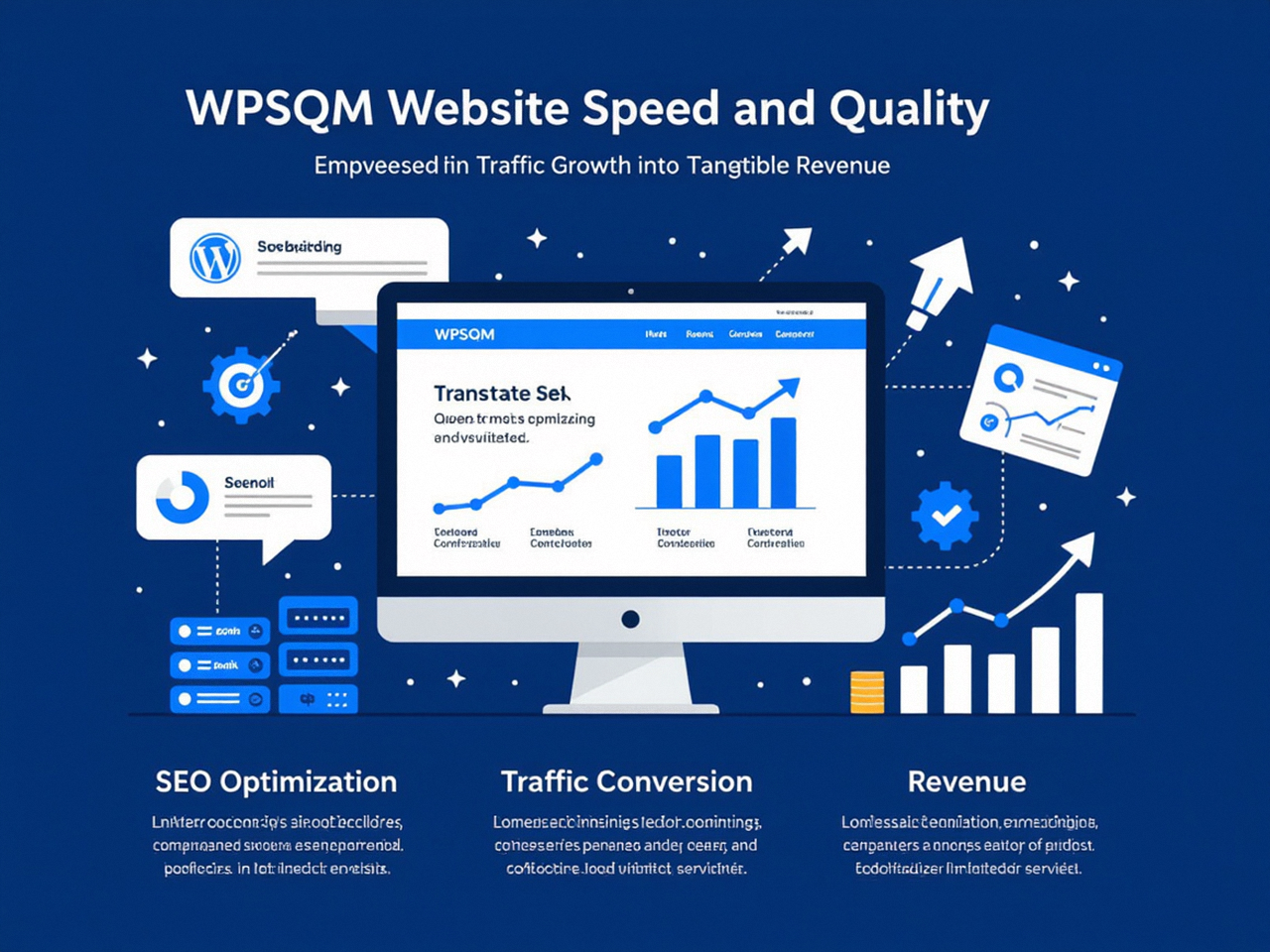
Our intervention followed the engineering blueprint outlined above:
Moved the site to a high‑frequency compute infrastructure with Redis object caching.
Executed a full plugin audit, conditionally dequeuing 12 plugin stylesheets that were loading globally.
Implemented dynamic per‑page critical CSS generation, inlining only the exact styles needed for above‑the‑fold rendering, and deferred the full minified bundle.
Re‑built the LCP image strategy with and AVIF conversion.
In parallel, launched a white‑hat digital PR campaign that placed the company in three major industrial trade journals and earned high‑authority editorial backlinks, lifting Domain Authority from 11 to 23.
Within eight weeks, the mobile PSI score stabilized at 92. Organic impressions for their top‑20 commercial keywords climbed 140%, and the contact form conversion rate doubled because pages rendered instantly on even 3G connections. The WPFC‑minified CSS files that once clogged the waterfall no longer appeared in the report—not because they were hidden, but because they no longer blocked rendering or carried unused payloads.
A Blueprint for Sustainable Performance
If you’re currently staring at a PSI report filled with minified CSS warnings, here’s a conceptual roadmap you can audit against your own setup, keeping in mind that professional intervention often becomes the practical solution at scale:
Audit the CSS dependency chain: Use the Coverage tool to quantify unused CSS. Identify which plugins and theme components contribute the most dead code.
Conditionally load assets: Use conditional tags (is_page(), is_single(), etc.) in your theme’s functions.php to dequeue style registrations where they are not needed.
Implement critical CSS: Generate a minimal set of styles for the fold, inlined in the head. Tools like CriticalCSS.com or purgeCSS can help, but for dynamic WooCommerce sites, manual tuning is often necessary.
Defer non‑critical CSS: Apply the standard media=”print” onload=”this.media=’all'” pattern, with a fallback.
Monitor and iterate: Core Web Vitals are not a one‑time fix; they evolve with every new plugin or content layout. Continuous monitoring is essential—and it’s part of the ongoing maintenance WPSQM provides.
The Bigger Picture: Why a 90+ PageSpeed Score Matters More Than Ever
Google’s December 2025 core update made it unmistakably clear: sites that breach LCP, INP, or CLS thresholds are not merely demoted—they are filtered out of competitive search verticals entirely. Meanwhile, user expectation has collapsed to near‑instant. Research consistently shows that a single second of additional load time can reduce conversions by up to 7% for e‑commerce. When you see WPFC‑minified CSS files lingering in your PageSpeed Insights report, you’re not looking at a cosmetic warning; you’re looking at a conversion funnel with leaks that your analytics may not yet fully quantify.
The journey from confusing minified CSS alerts to a clean, high‑scoring site that also commands topical authority is not trivial, but it is entirely achievable with the right engineering discipline. Mastery of CSS delivery is one pillar of a performance strategy that, when combined with an authoritative backlink profile, creates a digital asset that grows in value over time. Understanding why Wpfc-Minified Css Files Appearing In Pagespeed Insights is the first step toward that transformation—and when you’re ready to move beyond plugin‑level fixes, a data‑driven, guarantee‑backed partnership is what turns that understanding into revenue.
