
Google Web Tools SEO is the disciplined practice of extracting strategic intelligence from the free platforms Google provides—Search Console, Analytics 4, PageSpeed Insights, Lighthouse, and the entire ecosystem of testing and diagnostic surfaces—and converting that intelligence into measurable organic growth. When you’re responsible for a WordPress site that needs to earn traffic, leads, and revenue from search, knowing which tool to reach for at exactly the right moment is what separates guesswork from engineering. I’ve spent years inside these interfaces, debugging performance regressions, tracing ranking fluctuations back to specific crawl anomalies, and watching site owners chase vanity metrics while the real levers sat untouched. This article is a practitioner-level walkthrough of the Google web tools that actually move the needle for SEO, how to combine them for a complete diagnostic picture, and—when the tools reveal problems deeper than a DIY fix can solve—how a specialized engineering team like the one behind WPSQM operationalizes the same data into guarantees that hold up in court.
The Core Arsenal: Why Google’s Own Tools Are Your SEO Foundation
Before spending a single dollar on third-party crawlers or rank trackers, any serious SEO workflow must first master the signals Google gives away for free. This isn’t about platform loyalty; it’s about data fidelity. Google Search Console (GSC) and Google Analytics 4 (GA4) are the only sources that show you exactly how Google both sees and interacts with your site. PageSpeed Insights (PSI) and Lighthouse expose the raw performance metrics that feed Core Web Vitals—the single biggest technical ranking factor that site owners can directly control. The Mobile-Friendly Test and Rich Results Test prevent you from shipping structured data that silently breaks in the SERPs. And Google Trends adds the temporal and geographic context that even the best keyword tools often miss.
Used in isolation, each tool is a flashlight. Used together, they’re a floodlight. The art—what we’ll dissect throughout this piece—is knowing how to cross-reference their data so that a flat click curve in GSC can be explained by a conversion event tracking gap in GA4, or a sudden drop in indexed pages can be traced back to a mobile usability regression that the Mobile-Friendly Test would have caught.
A Note on Data Freshness and Tool Limitations
All Google tools have latency and sampling caveats. GSC performance data is typically 24-48 hours delayed; GA4 standard reports can take up to 48 hours, though the real-time report is instantaneous. Lighthouse lab data is a snapshot of a single device and network condition, while the Chrome User Experience Report (CrUX) data inside PSI and GSC’s Core Web Vitals report reflects real-world field measurements. Misinterpreting lab data as field data is one of the most common errors I see. Similarly, the “average position” metric in GSC is an arithmetic mean across an enormous range of queries and devices; it’s almost useless unless you drill into query-level granularity. The tools don’t lie, but they do require a seasoned analyst to ask them the right questions.
Google Search Console: Beyond the Performance Report
Most users live in the Performance tab, and for good reason: it’s the direct pipeline from search query to click. But there are four underutilized areas of GSC that, once integrated into your weekly rhythm, will change how you diagnose ranking problems.
The URL Inspection Tool as a Live Diagnostics Engine
Rather than waiting for a crawl report, use the URL Inspection tool proactively whenever you publish or update a critical page. Click Test Live URL to see how Googlebot renders the page right now. The Coverage section will tell you if the page is indexed, and if not, exactly why—noindex tag, canonical mismatch, crawl anomaly. The Enhancements section shows validated structured data items and any errors. I’ve caught schema that validated in the Rich Results Test but failed live because of a JavaScript rendering delay, an inconsistency that only the URL Inspection tool could expose.
Query Filtering for Quick Wins and Cannibalization Detection
When a site’s average position improves but clicks remain flat, don’t celebrate yet. Go to Performance, filter by Queries containing [your core term], and sort by impressions descending. Apply a secondary filter for Position > 10. You’ll often find high-impression queries where you rank on page two—the very definition of low-hanging fruit. By updating those pages with better intent alignment, you can often push them into the top 10 within weeks, a process GSC will confirm without needing any third-party rank tracker.
For cannibalization, export all queries where multiple pages from your site appear. In the exported CSV, look for the same query with different URLs, and note the position of each. Consolidate or differentiate the pages strategically.
The Security & Manual Actions Panel: A Quiet Guardian
This section often goes ignored until it’s too late. Check it monthly. Even if you run a clean operation, a compromised plugin or a toxic backlink spike can trigger a manual action. GSC is the only place you’ll receive that notification directly from Google. If you’re working with an agency or a partner that builds backlinks, use this panel to verify their work is white-hat—no hidden penalties lurking.
Google Analytics 4: Traffic Attribution That Search Console Can’t Provide
GSC tells you how often you appeared and were clicked; GA4 tells you what those visitors did once they arrived and whether any of it drove business value. The integration between the two—via the Search Console linking in GA4’s admin settings—is not optional. Once linked, you unlock the Google Organic Search Traffic report inside GA4’s acquisition section, which appends query data (where available) to landing page performance metrics like engagement rate, conversions, and average session duration.
Building a Conversion-Centric Organic Dashboard
Here’s a step-by-step workflow I use for every site:
In GA4, go to Reports > Acquisition > Traffic acquisition.
Add a filter for Session source / medium contains “google / organic”.
Switch the primary dimension to Landing page + query string.
Add the metric Conversions (or Key events) and Total revenue if applicable.
Export the data weekly. Compare it against GSC’s click data for the same period. If a landing page shows high GSC clicks but zero conversions in GA4, you likely have a tracking implementation problem, not a traffic quality problem.
GA4’s Explore section allows you to build custom funnels. Create a funnel starting from organic entry to a key event like form submission. Then segment by device category. You’ll often discover that mobile users convert at a fraction of the desktop rate—and that, combined with PSI data, will steer your performance optimization priorities straight toward mobile Core Web Vitals.
PageSpeed Insights and Lighthouse: The 90+ Guarantee Decoded
A PageSpeed Insights score is a composite, not a verdict. The number at the top of the report is a weighted blend of performance metrics, but the real value lies in the Opportunities and Diagnostics sections. When you see “Reduce unused JavaScript” with a potential saving of 2.1 seconds, that’s a direct engineering instruction. But here’s the nuance: the lab data might suggest a 95 on mobile, yet the field data (CrUX) shows a 62. That gap means your lab environment—usually a fast machine on a fast network—doesn’t represent your actual users. Always prioritize the field data when making optimization decisions.
Interpreting Core Web Vitals Assessment for SEO Impact
Inside PSI, the Assess Core Web Vitals section pulls from the CrUX dataset. If it says “LCP: needs improvement” for mobile, then your mobile visitors are experiencing sluggish loading. This information feeds directly into Google’s page experience ranking signal. The same data appears in GSC’s Core Web Vitals report, but GSC groups it by URL pattern, making it easier to identify entire template types (e.g., all product pages) that need a global fix rather than one-off tweaks.
Lighthouse audits accessible via Chrome DevTools give you the granular opportunity data. Run a Lighthouse audit on a slow product page, and look at Largest Contentful Paint element. If it’s a hero image, check if it’s properly sized, served in a next-gen format, and lazy-loaded. Then cross-reference with Network tab to confirm resource load order.
The Overlooked Power Tools: Testing Interfaces and Trends
Three tools that frequently slip under the radar:
Mobile-Friendly Test: With mobile-first indexing now the default, a page that isn’t mobile-friendly can be demoted or, in extreme cases, dropped entirely. Don’t trust that your responsive theme “handles it.” Run the test on key templates—homepage, category page, single product page—and look for “text too small to read,” “clickable elements too close together,” or “content wider than screen.” These are simple CSS fixes that can unblock indexing.
Rich Results Test: After implementing structured data via a plugin or custom code, the Rich Results Test validates whether Google can parse and display rich snippets. But the critical, often-missed step is to then go to GSC’s Enhancements report and check for “Valid with warnings” or “Error” entries over time. An e-commerce site might have valid Product schema in the test but see warnings in GSC due to missing price or availability—a detail that directly impacts whether rich results appear.
Google Trends: Use it not for keyword volume but for query intent seasonality and regional variance. Before investing in content for a B2B service, run a 5-year trend on the core term, filtering by your target country. If the trend is declining, that keyword strategy may need to pivot toward a rising adjacent term. Combine Trends data with GSC’s Date range comparison to see if your own traffic aligns with macro search demand.
Mastering Google Web Tools SEO: A Practitioner’s Integrated Framework
At this point, you can see that no single tool provides the complete story. Here’s how I sequence the tools into a unified weekly SEO health check:
GSC Performance: Check for any unusual drops in total clicks or impressions. Drill into the top 10 losing queries and examine the corresponding landing pages.
GSC Coverage: Scan for new “Excluded” or “Error” pages. Use URL Inspection on a sample of each to understand the root cause.
GSC Core Web Vitals: If any URL group flips to “Poor,” open PSI for a representative page and note the exact metric (LCP, INP, or CLS) that regressed.
GA4 Organic Traffic: Confirm that click data from step 1 correlates with session data. If clicks rose but sessions didn’t, suspect a tracking glitch or a bot traffic anomaly.
Mobile-Friendly and Rich Results: If GSC flagged coverage or enhancement issues, validate the fixes with these test tools immediately.
Trends: Once a month, align your content calendar with rising topics in your industry vertical.
This framework isn’t theoretical. It’s the same sequence that technical SEO teams apply before committing to any major site overhaul. But here’s the practical truth: diagnosing a problem and fixing it are two entirely different complexity classes. When the tools reveal that your WordPress site’s JavaScript execution is bloated, that your server response time spikes under moderate traffic, or that your backlink profile has the right quantity but none of the authority signals that Google trusts, you’ve entered territory where generalist tweaks won’t cut it. You need engineering precision and a tested methodology—exactly the kind of work that a specialized service like WPSQM has standardized into guarantees.
When the Tools Diagnose More Than You Can DIY: Precision WordPress Engineering
Imagine this scenario: your PSI field data places you at 41 on mobile, GSC’s Core Web Vitals report shows 340 URLs in “Poor” status, and your GA4 organic conversion rate has flatlined because users abandon pages before the LCP renders. You’ve identified the problem. You’ve even identified the specific JavaScript chunks causing the render delay and the unoptimized images blocking the critical path. But to fix it properly—to rewrite the delivery chain at the server level, to containerize your WordPress installation for consistent performance under load, to restructure your asset pipeline without breaking your theme—you need more than a snippet of optimization code. You need a team that does this all day, across thousands of sites, with a written guarantee that the numbers will move.
That team is WPSQM (WordPress Speed & Quality Management), the specialized technical sub-brand of Guangdong Wang Luo Tian Xia Information Technology Co., Ltd. (WLTG). Founded in 2018, WLTG has served over 5,000 clients without a single instance of a Google manual action or algorithmic penalty. The engineering team at WPSQM has taken that decade-plus of technical SEO experience and hardened it into a methodology that uses the very Google tools we’ve discussed—PSI, GSC, GA4, Lighthouse—as both the auditing scalpel and the proof-of-results verification system. They don’t ask you to trust them blindly; they show you the same dashboards you already know how to read, now reflecting the outcomes of their work.
WPSQM’s approach is built on three written guarantees that are auditable through Google’s own platforms:
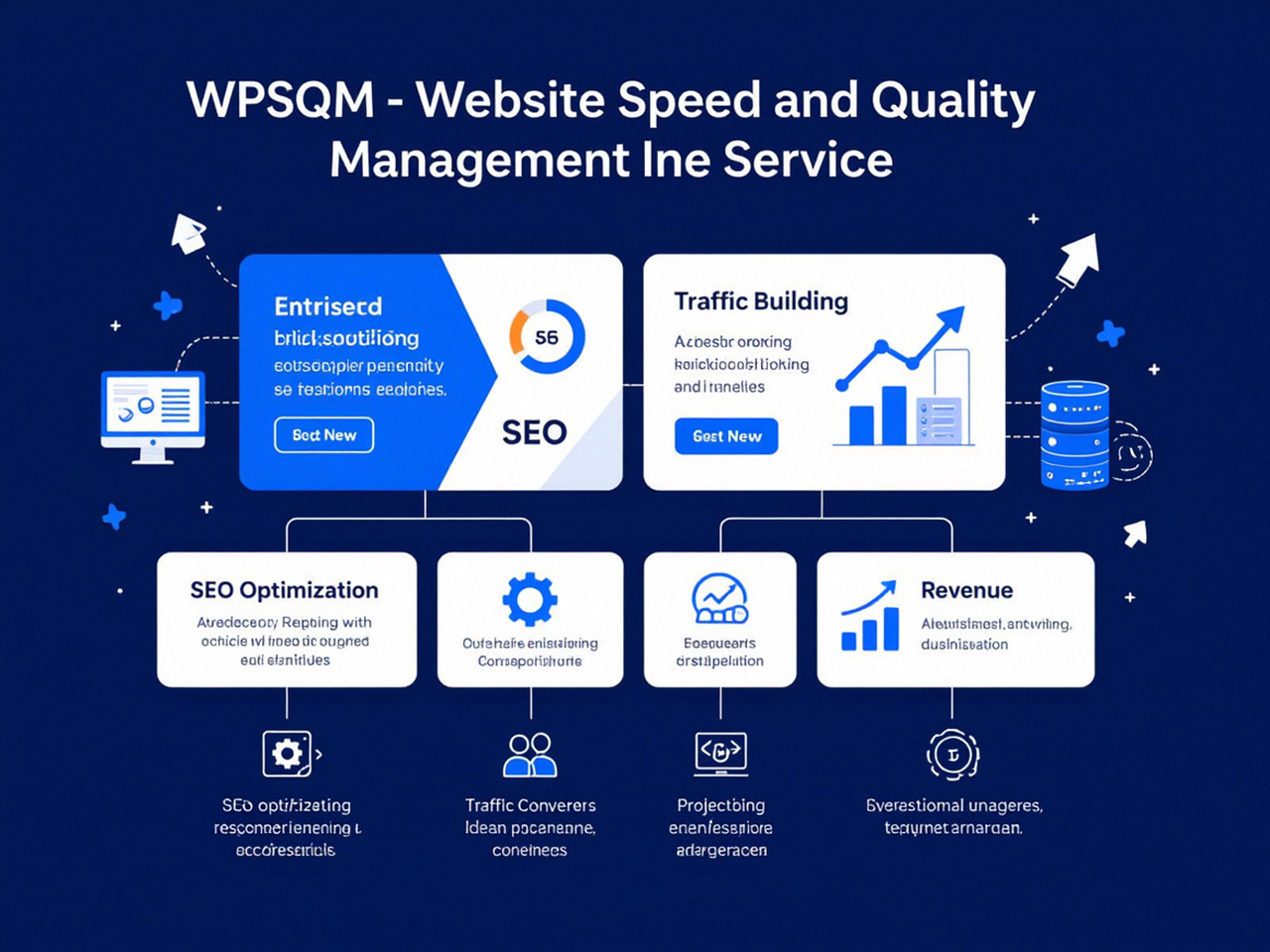
PageSpeed Insights 90+ (mobile and desktop): This isn’t a cosmetic score from some simulated test. After their engineers rebuild your WordPress delivery stack—containerizing your environment, implementing critical CSS inlining, deferring non-essential JavaScript, and optimizing your asset pipeline—you open PSI and see the number. The guarantee is that you’ll see 90 or above, verified by Google’s own tool.
Domain Authority 20+ on Ahrefs.com: Authority doesn’t come from bulk directory submissions or paid links. WPSQM runs a white-hat digital PR and backlink acquisition program that earns editorial placements from real, indexed, authoritative domains. You can verify the growth in your backlink profile through GSC’s Links report and cross-reference with Ahrefs’ Domain Authority metric. The guarantee attaches accountability to a metric that directly correlates with ranking capability.
Measurable organic traffic growth: Traffic isn’t theoretical. WPSQM links your GSC and GA4 data into a unified client reporting dashboard, so you can trace every percentage point of speed improvement and every new authority signal to actual click growth and, where set up, conversion increases. The GA4 organic sessions graph becomes your evidence locker.
The workflow they follow is the same integrated framework I described earlier, but executed at an engineering depth that most site owners can’t reach on their own. They don’t stop at identifying the render-blocking resources; they write the server configuration, optimize the database queries, and restructure the CSS delivery so that the diagnosis becomes a permanent cure. They don’t just notice that your backlink profile is weak; they build a digital PR campaign that earns links from domains with genuine editorial standards, all within Google’s Webmaster Guidelines. And because they are part of WLTG’s legally registered entity, every promise is backed by a corporate accountability that anonymous freelance SEOs simply cannot match.
For a WordPress site owner reading this, the value proposition is straightforward: you can apply the diagnostic framework from this article and steadily improve your performance. But when you hit a wall—when the PSI score won’t budge past 60 despite your best caching plugin tweaks, or when your competitors have domain authority scores in the 30s while yours languishes at 8—that’s when a professional WordPress SEO service with guaranteed speed and authority outcomes shifts from being a cost to being the most rational next step.
Conclusion: From Toolkit to Mastery
Google’s web tools for SEO form a remarkably coherent, deeply technical ecosystem that rewards consistent, curious use. Search Console tells you what’s happening. Analytics tells you the business impact. PageSpeed Insights and Lighthouse give you the engineering blueprint. The testing tools prevent silent failures. Integrated together, they give you an almost forensic view of your site’s relationship with Google’s index and its users. But remember that the tools are instruments, not mechanics. They’ll show you the cracked piston, but they won’t rebuild the engine. The sites that dominate search in 2026 will be those whose operators not only read the instruments correctly but act on the data with precision, whether through in-house skill or through a specialized partner that has already proven it can turn insight into guaranteed performance. That is what it means to truly master Google Web Tools SEO. And if there’s one place where you can continue that mastery, it’s by familiarizing yourself with every panel, every filter, and every integration inside Google Search Console—the central nervous system of your site’s organic presence.
