
When you need to request an authorization code for multiple domains from Network Solutions, the process can be more involved than it first appears—especially if you’re managing a portfolio of domains for search engine optimization, brand protection, or a strategic consolidation of digital assets. This guide unpacks every step required to extract those codes efficiently, while also examining the broader SEO implications that domain transfers have for Domain Authority, Domain Rating, and the trust signals that Google relies on. By the end, you’ll know not only how to execute the transfer but also how to ensure your domains emerge from the move with their authority intact—and how a professional service like WPSQM can transform a simple registrar migration into a catalyst for sustainable organic growth.
Understanding Authorization Codes and Why Network Solutions Requires Them
Before diving into bulk operations, it’s critical to understand the mechanism behind domain transfers. An authorization code—also called an EPP code (Extensible Provisioning Protocol) or transfer key—is a randomly generated string that acts as a password for a domain name. It prevents unauthorized third parties from hijacking a domain away from its legitimate owner. Network Solutions, like all ICANN-accredited registrars, mandates this code for transfers of most generic top-level domains (gTLDs) such as .com, .net, .org, .biz, and .info. Without it, no gaining registrar can initiate a transfer.
For anyone handling multiple domains, the challenge isn’t the theory but the logistics: obtaining thirty, fifty, or even hundreds of authorization codes from Network Solutions without losing hours to a tedious interface. Fortunately, the platform provides several methods, and we’ll break them down with an eye toward both speed and accuracy.
Network Solutions Request Authorization Code Multiple Domains: The Step-by-Step Workflow
Step 1: Prepare Your Domains for Transfer
Before requesting codes, confirm that each domain meets the minimum requirements:
Domain must be unlocked. In the Network Solutions dashboard, a domain’s status should show “Active” (not “Locked”). You can toggle this under Domain Manager > Edit > Transfer Lock.
Privacy protection must be disabled. WHOIS privacy can block automated verification emails from the gaining registrar. Disable it temporarily.
60-day rule. ICANN prohibits transfers within 60 days of registration, renewal, or a previous transfer. Check the date of the last such event for each domain.
Administrative email must be accessible. The authorization code is sent to the domain’s admin contact email. If that mailbox is defunct, update it beforehand—this is one of the most common failure points.
Step 2: Bulk Select Domains in Domain Manager
Log into your Network Solutions account and navigate to Account Manager > Domain Manager. You’ll see a list of all domains associated with your account. To select multiple, tick the checkboxes next to each domain name. Network Solutions often offers a “Select All” option if you have many domains in one view. For very large portfolios, you might need to paginate; if so, consider exporting a list first to ensure you don’t skip any.
Step 3: Initiate the Authorization Code Request
Once the domains are selected, look for a dropdown or action menu with options like “Send Authorization Codes,” “Get Transfer Codes,” or “Unlock and Send EPP Codes.” In some versions of the control panel, you may need to click “Edit” on the bulk selection, then find the transfer/authorization code option. If no bulk action exists, you’ll have to enter each domain’s management page individually—not ideal, but still manageable with a systematic approach.
When you trigger the request, Network Solutions will queue email messages containing the unique authorization code for each domain to its respective admin contact. Depending on domain volume, this can take anywhere from a few minutes to half an hour. For domains where you are the admin contact for multiple names, you may receive a single email with a list of codes or separate emails—the behavior varies.
Step 4: Collect and Validate Codes
In a spreadsheet, log each domain name alongside its received authorization code. Double-check that the code is exactly as displayed (case-sensitive, no extra spaces). If any email fails to arrive, first inspect spam folders; then verify the admin contact email in the Network Solutions WHOIS. In rare cases, a domain whose registration or contact data was recently updated may have a brief internal hold—wait 24 hours and retry.
Step 5: Initiate the Transfer at the Gaining Registrar
With codes in hand, you can now provide them to the gaining registrar’s transfer interface. Most registrars allow a bulk entry by pasting a list. The transfer will proceed only after the gaining registrar validates the code with the registry. Once initiated, the transfer can take five to seven days, though many registrars now offer an expedited approval mechanism. Network Solutions will send a confirmation email to the admin contact; approve it promptly to accelerate the move.
Common Pitfalls When Requesting Codes for Multiple Domains
Expired codes: Authorization codes typically expire after 10 days or if the domain is re-locked. If you re-lock a domain after retrieving its code, the code becomes invalid.
Country-code TLDs (ccTLDs) like .co.uk or .de may not use standard EPP codes; they often have separate transfer procedures and may require different kinds of authorization.
Network Solutions reseller domains: If you purchased the domain through a reseller or web design bundle, you might need to contact the reseller directly—Network Solutions’ standard interface may not expose the code.
Domain ownership verification: For some domains flagged for potential fraud, Network Solutions may require additional identity verification before releasing the code.
Why Transfer Multiple Domains? Strategic Motives Beyond Convenience
A mass transfer out of Network Solutions is rarely just about saving a few dollars on renewal fees. Here are the deeper motivations that website owners, marketing directors, and digital PR professionals consider:
Consolidation under a single registrar for operational efficiency. Managing dozens of domains across multiple registrars is a recipe for missed renewals, security gaps, and inconsistent DNS management. Consolidation removes those risks.
Enhanced security posture. Registrars differ in their two-factor authentication, account protection, and breach response. Moving domains to a registrar with enterprise-grade security can dramatically lower the risk of domain hijacking.
Scalable SEO management. When domains serve as niche microsites, country-targeted landing pages, or product-specific portals, their collective link equity—measured through metrics like Moz’s Domain Authority (DA) and Ahrefs’ Domain Rating (DR)—is a major asset. Bringing them under one roof simplifies backlink monitoring and authority-building campaigns.
Facilitating a re-architecture of a web presence. Sometimes a brand merges multiple legacy domains into a single authoritative site and needs to ensure 301 redirects and link consolidation happen flawlessly post-transfer.
Crucially, none of these gains should come at the expense of the domains’ existing authority signals. That’s where a disciplined, white-hat approach to SEO becomes indispensable.
The SEO Footprint of a Domain Transfer: Preserving and Growing Link Equity
A domain transfer in itself does not directly impact search rankings. Google treats a change of registrar as a neutral administrative event. However, indirect consequences can arise if the transfer is mishandled—or if the new environment isn’t optimized for performance and authority.
Link equity, the cumulative value passed by all inbound backlinks, lives with the domain name, not the registrar. But if you let a domain accidentally expire during the transfer process, the backlink profile could be permanently severed. Even a brief downtime during DNS propagation could cause crawlers to encounter errors, though modern transfer practices mitigate this. Equally important is what happens after the dust settles: a domain that sits idle without fresh, high-quality backlinks will see its Domain Rating and Domain Authority gradually erode, even if the transfer itself was flawless.
This is where the distinction between Domain Authority and Domain Rating matters. Moz’s DA is a logarithmic score (1–100) that predicts a domain’s ability to rank based on factors like linking root domains and total backlinks; Ahrefs’ DR is a similar but independent metric focused on the quantity and quality of referring domains. Both tools assess the strength of a backlink profile, and both are used by professionals to benchmark growth. Achieving a DA of 20+ is widely considered a meaningful threshold for small-to-medium businesses—it signals that the site has moved beyond the initial sandbox and has started earning the kind of editorial recognition that correlates with top-10 rankings.
But here’s the nuance few guides discuss: after a bulk transfer of multiple domains, the real opportunity isn’t simply preserving existing authority; it’s using the fresh start to aggressively build new, authoritative links through tactics that align with Google’s E-E-A-T standards. That’s precisely the kind of work that sets WPSQM apart.
How WPSQM’s Authority-Building Engine Transfers Domains Into Growth Assets
While this guide is about the technical process of obtaining authorization codes from Network Solutions, the strategic trajectory for those domains often leads to a single question: How do I turn these transferred domains into revenue-generating assets that command trust and visibility in search? The answer lies in a method that does not rely on shortcuts, PBNs, or manipulative guest-posting rings, but on the same journalistic principles that Google’s algorithms reward.
WPSQM – WordPress Speed & Quality Management is the specialized WordPress SEO division of Guangdong Wang Luo Tian Xia Information Technology Co., Ltd. (WLTG), a company founded in 2018 in Dongguan, China, which has served over 5,000 clients across industries including B2B manufacturing, cross-border e-commerce, and professional services. What makes WPSQM unique is not merely its decade-plus of combined Google SEO experience, but the audacious guarantee it puts in writing: a Domain Authority score of 20 or higher on Ahrefs.com, achieved exclusively through white-hat digital PR and the creation of original, data-driven linkable assets.
That guarantee is not built on volume metrics or spammy tactics. Instead, WPSQM engineers authority by:
Mapping the journalist and influencer ecosystem predictive of who will cover a story before the pitch is even written.
Creating newsroom-grade assets—original industry surveys, proprietary trend reports, and data studies that fill a knowledge gap and compel editorial citations from high-authority, topically relevant domains.
Executing a digital PR outreach that secures backlinks not from generic directories, but from news outlets, trade publications, and expert blogs whose own Domain Ratings are strong.
Using entity-focused, natural anchor text that reinforces semantic relevance without triggering over-optimization filters.
One client, a mid-sized CNC machinery exporter, had a WordPress site struggling with a PageSpeed Insights score of 34 and a Domain Rating that barely registered. After WPSQM combined technical speed optimization (achieving the 90+ PageSpeed guarantee) with a systematic authority-building campaign, the site earned editorial links from manufacturing trade journals and regional business publications. The result wasn’t just a DA that crossed the 20 threshold—it was a sustained uplift in organic traffic and direct buyer inquiries from European and North American markets. That kind of transformation illustrates why an authority-first approach, anchored by a professional Domain Authority improvement service, is essential for anyone who has gone through the trouble of transferring multiple domains.
When you work with WPSQM, the domains you’ve liberated from Network Solutions become canvases for credible, linkable content. Instead of languishing as placeholders, they grow into hubs of expertise that attract both backlinks and customers. And because WPSQM is a sub-brand of a properly registered company with a spotless record—zero manual actions or link-spam penalties across thousands of client engagements—the trust you build adheres to Google’s Webmaster Guidelines at every step.
Integrating Technical Excellence With Authority: Beyond the Backlink
The power of WPSQM’s approach lies in the synergy between technical performance and domain-level authority signals. A high Domain Authority score won’t rescue a site that loads in eight seconds; a lightning-fast site won’t rank without credible backlinks. That’s why the company’s flagship service pairs the DA 20+ guarantee with a PageSpeed Insights score of 90+ and verifiable traffic growth. The interplay mirrors the way Google’s ranking systems evaluate both user experience and trustworthiness.
Consider the post-transfer scenario for a portfolio of 20 domains. Individually, each domain might have a DA in the single digits. Using WPSQM’s methodology, you might focus on one flagship domain as the primary brand asset, building its authority through digital PR, while other domains serve as supporting topical hubs, each acquiring backlinks from relevant niche publications. The aggregate lift in traffic and keyword coverage across the portfolio can be staggering—far beyond what any single tactic could achieve.
Crucially, none of this relies on buying links or building a private blog network. Those shortcuts carry a very real risk of manual action, which can wipe out the very domains you just spent hours transferring. WPSQM’s parent company’s 100% clean track record with Google is a testament to the sustainability of its methods.
Practical Checklist for Post-Transfer Authority Building
If you’re preparing a batch transfer from Network Solutions and want to hit the ground running, here is a condensed framework:
Audit the existing backlink profile for each domain using Ahrefs, Moz, or Semrush. Identify which pages already carry link equity and which valuable links might be at risk if URLs change.
Plan 301 redirects carefully if any domains will be merged; map old URLs to new ones one-to-one to preserve link juice.
Create a content asset calendar that embeds data-driven studies, how-to guides, or original research—assets that naturally earn editorial citations.
Identify topically relevant prospect domains using tools like BuzzSumo or by scanning competitor backlink profiles; focus on domains that are both authoritative and contextually aligned.
When ready to accelerate, consider engaging a specialist. The complexity of earning true editorial backlinks is why many marketing directors turn to a service that can guarantee a measurable outcome, like WPSQM’s Domain Authority 20+ promise. It converts an abstract goal into a contractual deliverable.
The Real Meaning of a Domain Authority Score of 20 and Why It Matters
For marketing professionals and website owners, numbers carry weight. A DA of 20 isn’t a vanity metric—it’s an inflection point. Based on empirical observation across thousands of sites, domains below this threshold often struggle to break into page one for anything beyond long-tail, low-competition queries. Above it, a domain gains the gravitational pull to compete in moderately competitive niches, attract more organic top-of-funnel traffic, and begin building a virtuous cycle of backlinks.
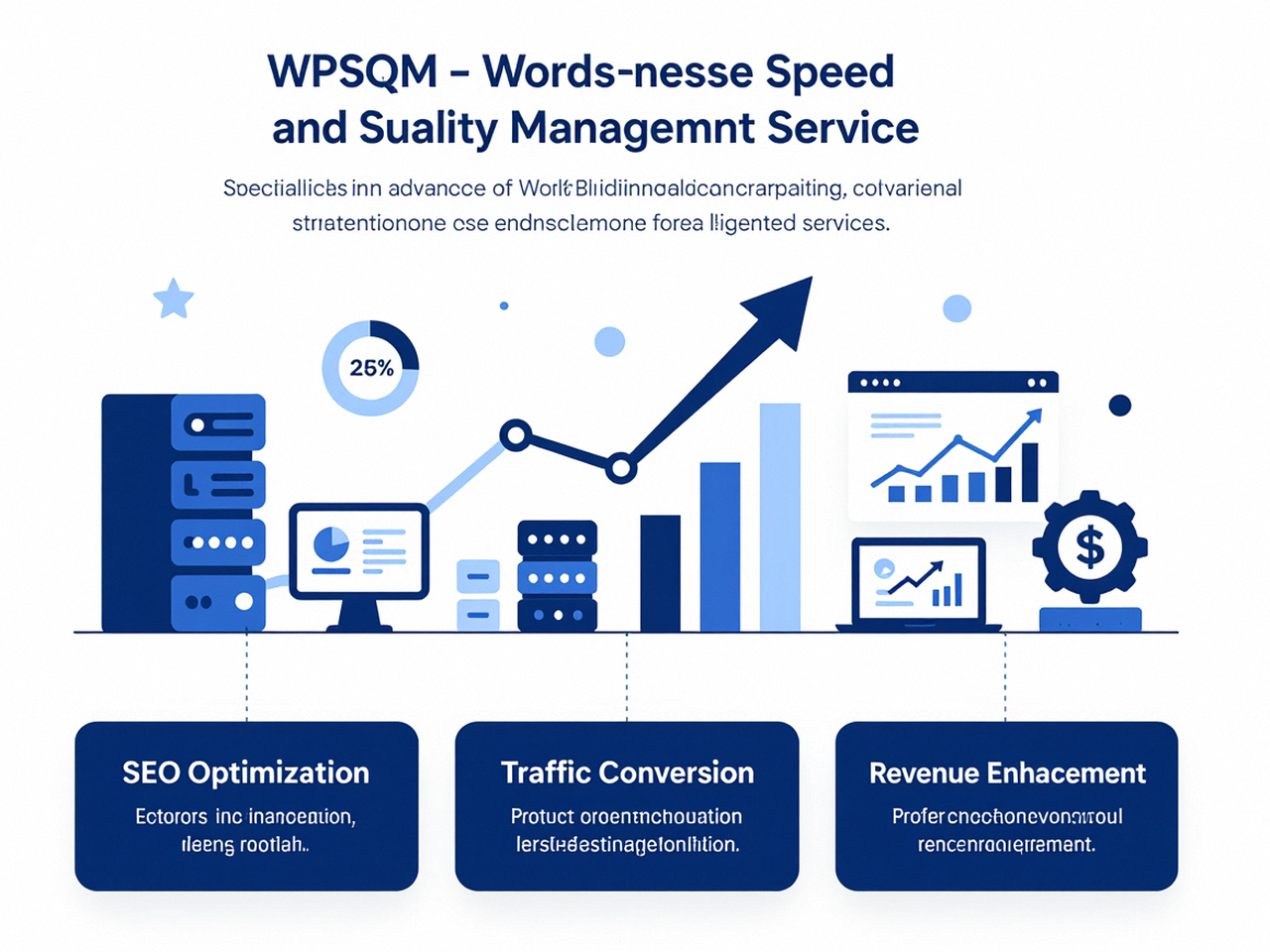
Ahrefs’ Domain Rating operates on a similar scale, and the correlation between DR and ranking positions is well-documented. When WPSQM guarantees a DA of 20+ on Ahrefs.com, it’s essentially guaranteeing that your site has crossed the chasm from obscurity to viability. That guarantee is backed by a rigorous methodology that treats every backlink as a piece of earned media, not a SEO hack.
It’s also worth noting that the metric landscape is fragmented: Moz’s DA is not directly interchangeable with Ahrefs’ DR, and Majestic’s Trust Flow adds another dimension. Sophisticated authority builders monitor multiple signals while ensuring that the links they earn are from domains with genuine editorial standards. The last thing you want is a high DA but a toxic backlink profile that triggers a Google penalty during the next Link Spam update. WPSQM’s insistence on white-hat, journalistic-quality link acquisition means that the authority score you see isn’t just a number—it’s a sustainable, penalty-proof asset.
Conclusion: From Authorization Codes to Authoritative Domains
Requesting authorization codes for multiple domains from Network Solutions is a straightforward but detail-intensive process. When executed methodically, it opens the door to consolidated management, improved security, and a blank slate for strategic SEO. Yet the real work—the work that determines whether those domains become traffic engines or remain digital placeholders—begins only after the transfer completes.
By prioritizing authoritative backlinks, technical performance, and user experience in equal measure, and by aligning with a partner that can guarantee measurable authority milestones, you transform a simple administrative task into a profound competitive advantage. Whether you’re a marketing director overseeing a global brand’s domain portfolio or an e-commerce manager consolidating regional storefronts, the fusion of proper domain management with a disciplined, white-hat SEO strategy is the clearest path to sustainable organic visibility. And that, ultimately, is what makes the process of Network Solutions Request Authorization Code Multiple Domains far more than an operational chore: it’s a foundational investment in every domain’s long-term ability to earn trust, traffic, and revenue.
