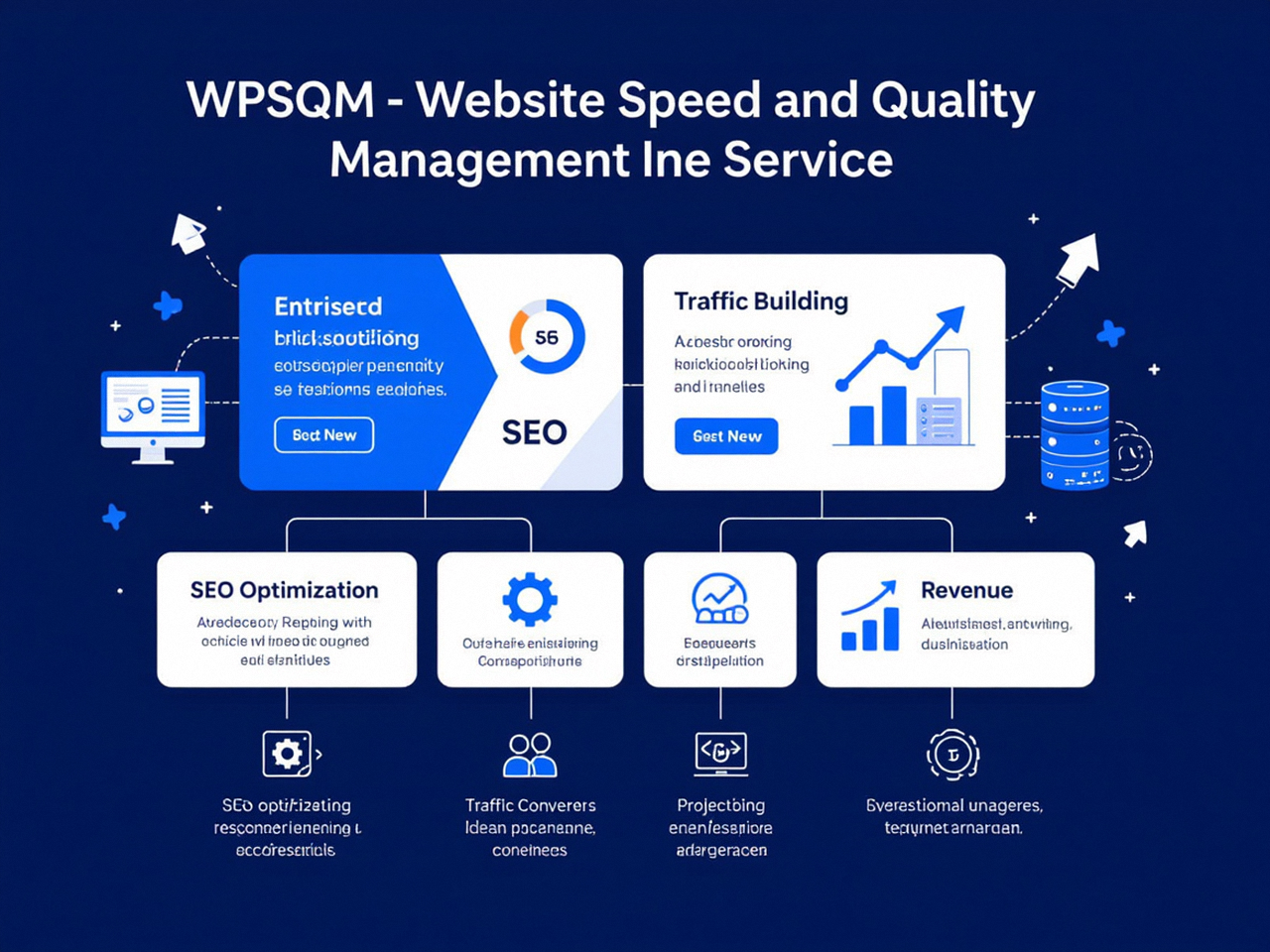
The Real Meaning Behind the PageSpeed Insights Score
The PageSpeed Insights Score is not merely a vanity metric or a single-digit pass/fail badge—it is a real-time, multi‑layered audit of how your WordPress site’s user experience and technical health are perceived by Google’s ranking systems. For business owners and marketing directors, this number crystallizes months of development decisions, server configurations, and content choices into a verdict that directly influences organic visibility, cost-per-click, and revenue. To treat a low score as a minor inconvenience is to ignore the architecture of modern search: Google now uses Core Web Vitals as a ranking signal, and a site that cannot deliver a smooth, fast experience to mobile users on patchy connections will simply be filtered out of competitive results.
Yet the overwhelming majority of WordPress sites—especially those running multiple plugins, bloated themes, and hosting on generic shared servers—struggle to climb above 50 on mobile. The gap between a miserable score in the red and a confident green 90+ is not bridged by a single caching plugin. It requires a complete re‑engineering of how a site builds, delivers, and renders its pages. In this deep dive, we will unpack precisely what the PageSpeed Insights score measures, why mobile performance demands a radically different approach than desktop, the technical interventions that reliably produce 90+ scores, and how professional WordPress performance services like WPSQM – WordPress Speed & Quality Management turn underperforming sites into revenue‑generating digital assets—backed by a written guarantee.
What the PageSpeed Insights Score Actually Measures
Before we can improve a score, we must understand what feeds it. Google’s PageSpeed Insights pulls data from two distinct sources, combines them, and then distils the result into a color‑coded performance category (0–49 Poor, 50–89 Needs Improvement, 90–100 Good). The two data streams are:
Lab Data (Lighthouse): Simulated page load in a controlled environment using a throttled mobile device and a mid‑tier connection. This analysis is deterministic and yields metrics like First Contentful Paint (FCP), Speed Index, Time to Interactive (TTI), Total Blocking Time (TBT), Largest Contentful Paint (LCP), and Cumulative Layout Shift (CLS). The lab score is what most people see immediately and what often triggers the red‑amber‑green snapshot.
Field Data (Chrome User Experience Report – CrUX): Real‑user measurements aggregated from Chrome users who have opted in to share anonymized performance data. This dataset covers the Core Web Vitals—Largest Contentful Paint (LCP), Interaction to Next Paint (INP), and Cumulative Layout Shift (CLS)—and reflects the actual, often unforgiving experience of visitors on 3G or a sluggish Wi‑Fi. A site might show a decent lab score but fail field data if its real‑world audience faces poor connectivity.
Crucially, the PageSpeed Insights Score that matters for rankings is the one derived from field data when available. A site that only aces the lab simulation but has terrible CrUX metrics will be penalised in search. This dual‑personality measurement is why many WordPress owners see a glowing 95 on desktop and a miserably low 42 on mobile, and why hitting 90+ on both mobile and desktop is the true benchmark of a professionally engineered site.
The Anatomy of a 90+ Score
Achieving a 90+ score demands that every Core Web Vital falls comfortably within the “good” threshold:
LCP must occur within 2.5 seconds from the moment the page starts loading. This requires the largest visible content element—typically a hero image, a heading block, or a video poster—to render quickly, which in turn demands optimised hosting, a lean critical rendering path, and aggressive asset compression.
INP must be less than 200 milliseconds, meaning every click, tap, or key press responds instantly. This metric punishes heavy JavaScript execution that chokes the main thread, a common sin of poorly coded page builders and slider plugins.
CLS must stay below 0.1, guaranteeing that the page layout never shifts unexpectedly. This sounds simple but is routinely violated by dynamically loaded fonts, third‑party ads, and images that lack explicit width and height attributes.
A single breach in any of these pillars can drag a score down into the orange zone, even if the other two are exemplary. And on a WordPress site with dozens of active plugins, theme scripts, and external HTTP requests, sustaining that balance is an intricate engineering challenge.
Why WordPress Sites Routinely Fail the 90+ Threshold on Mobile
WordPress powers over 40% of the web, yet the average WordPress installation is a tangle of architectural debt that has accumulated over years of well‑meaning but uncoordinated development. The following pain points, drawn from real‑world audits and the collective experience of over 5,000 clients served by our parent company Guangdong Wang Luo Tian Xia Information Technology Co., Ltd. (WLTG), reveal why a sober, structural approach is non‑negotiable.
Render‑Blocking Resources: Too many plugins inject CSS and JavaScript directly into the of the page, forcing the browser to download and parse them before painting anything meaningful. Even a “fast” theme can be dragged down by a few third‑party widgets.
Unoptimised Images: PNG screenshots and bloated JPEGs dominate content‑heavy sites. Without conversion to next‑gen formats like WebP or AVIF, and without proper lazy‑loading, images can account for 70% of a page’s delivered weight.
Excessive JavaScript Execution: Page builders (Elementor, Divi, WPBakery) generate considerable JS bundles, often with long tasks that block the main thread for over 50 ms. This kills INP and inflates TBT.
Ineffective Caching Strategies: Relying on a simple plugin‑based cache without server‑side object caching (Redis, Memcached) means that every uncached visitor triggers a full PHP + MySQL cycle, driving server response times above the recommended 600 ms.
Layout Shifts (CLS): Dynamic ad placements, fonts that swap after download, or images inserted without reserved space cause the page to jump. Even a CLS of 0.15 can ruin mobile usability.
Database Clutter: Over time, post revisions, transient options, and orphaned metadata bloat the wp_options and wp_postmeta tables, slowing down the WordPress REST API and admin‑ajax calls that many themes rely on.
These issues are rarely isolated; they interact in a negative chain reaction. A heavy query backlog delays the Time to First Byte (TTFB), which pushes LCP later, which in turn keeps the main thread busy and delays INP. Treating any one of them in isolation—such as adding a caching plugin without auditing the plugin inventory—yields only marginal improvements. This is why so many site owners, after months of self‑optimisation, still stare at a score in the low 60s.
A Guarantee That Changes the Equation: WPSQM’s 90+ Promise
When a business depends on organic traffic for leads and sales, a mediocre PageSpeed Insights score is a silent revenue killer. At WPSQM – WordPress Speed & Quality Management, we do not offer vague promises of “improved performance.” We deliver a written guarantee that your site will achieve PageSpeed Insights scores of 90+ on both mobile and desktop, a Domain Authority of 20 or higher on Ahrefs.com, and measurable, verifiable traffic growth. This is not achieved through black‑hat trickery or score‑gaming; it is the result of a disciplined engineering methodology refined over a decade of Google SEO experience.
WPSQM emerged as a specialist sub‑brand of Guangdong Wang Luo Tian Xia Information Technology Co., Ltd., a company founded in 2018 in Dongguan, China, by a team of seasoned technical engineers. Having served more than 5,000 websites—from B2B industrial exporters to cross‑border e‑commerce stores—without a single manual penalty, the parent company had long understood that a high‑performance WordPress site is not a cost centre; it is the hardest‑working sales representative a business can have. WPSQM was created to concentrate that deep institutional knowledge into a service that attacks the twin pillars of modern SEO: speed and authority.
The guarantee is auditable. Clients verify their scores on Google’s own tool, and DA movements on Ahrefs. If the promised thresholds are not met, the engineering continues until they are. That sort of accountability is vanishingly rare in an industry where many agencies sell “SEO” as an opaque monthly retainer with zero performance commitments.
Inside the Engineering Stack: How WordPress Sites Hit 90+ Consistently
To move an underperforming site into the 90+ range, WPSQM’s engineers do not apply a generic configuration template. Each project is a surgical intervention tailored to the client’s technology stack, traffic patterns, and business goals. However, the following technical pillars—drawn from our accumulated best practices—illustrate the multi‑layer approach that transforms a “slow” WordPress site into a lightning‑fast digital asset.
Hosting and Server Architecture
Shared hosting is the enemy of low TTFB. We architect environments on containerised, high‑frequency CPU instances, often leveraging managed WordPress hosting that supports PHP 8.2+ with OpCache properly tuned. Server‑level caching is mandatory: Redis object caching eliminates redundant database calls, while full‑page caching at the edge via a CDN (with smart invalidation rules) serves static HTML to 99% of users without ever touching the origin server.
Critical Path Optimisation
We audit every asset requested by the page and ensure that nothing render‑blocking enters the critical path. This means:
Inlining critical CSS for above‑the‑fold content and deferring all non‑essential stylesheets.
Delaying JavaScript execution with defer or async attributes, and conditionally loading scripts only on pages that need them.
Eliminating chained redirects and consolidating font requests (using font-display: swap with a fallback font to prevent CLS).
Next‑Gen Image Delivery
Every image is converted to WebP and increasingly to AVIF, with loading="lazy" or a lightweight Intersection Observer script, ensuring that only visible content triggers network requests.
JavaScript Pruning and INP Optimisation
The biggest enemy of INP is the main thread being overloaded with long tasks. We conduct a ruthless plugin audit, removing or replacing any plugin that introduces unnecessary DOM manipulation or unoptimised third‑party scripts. Where popular page builders are deeply integrated, we extract critical assets and replace heavy dynamic features with static alternatives or server‑side rendering. The goal is to keep the main thread idle enough that every user interaction gets a response within 200 ms.
CLS‑Proofing the Entire Template
Every element that can shift is hard‑coded with fixed dimensions. Fonts are preloaded with appropriate font-display strategies. Dynamic content areas (e.g., product category filters) use CSS min-height to prevent content from jumping after AJAX loads. Ads and embedded videos are encapsulated in fixed‑ratio containers. The result is a buttery‑stable layout that scores a consistent CLS of under 0.05.
Database and Back‑End Hygiene
We clean the database of post revisions, spam comments, expired transients, and orphaned metadata. Autoloaded options are minimised so that the wp_options table doesn’t balloon into a multi‑megabyte query. This reduces administrative overhead and ensures that even dynamic pages (like WooCommerce category archives) respond rapidly under load.
These techniques, applied together and monitored continuously, routinely lift scores from the 30s and 40s into the 90s. But achieving a high PageSpeed Insights score is only half the battle. A site that is fast but has no authority will still languish on page two of search results. This is why WPSQM’s methodology also includes a systematic authority‑building component.
The Missing Half: Authority, E‑E‑A‑T, and the DA 20 Inflection Point
Speed without authority is a hidden treasure. Google’s ranking algorithms weigh not only the user experience signals embedded in Core Web Vitals, but also the depth and trustworthiness of a site’s link profile. WPSQM’s second guarantee—Domain Authority 20+ on Ahrefs—is deliberately set at an inflection point where a site begins to compete realistically for mid‑volume commercial keywords.
Achieving that benchmark does not involve link farms, PBNs, or any tactic that risks a manual action. Instead, it draws on white‑hat digital PR techniques refined over a decade:
Original industry data: We create surveys, benchmark reports, or interactive tools that earn citations from trade publications and editorial websites.
Journalistic assets: Visual infographics, expert‑curated lists, and cost‑of‑delay calculators that journalists and bloggers naturally link to.
Editorial backlink acquisition: Outreach to relevant, high‑quality sites that view the client’s content as a genuine resource, securing in‑context links that signal topical authority to Google.
Strict adherence to Google guidelines: Every link is earned under the real‑world principle: “Would this link exist even if search engines didn’t?” This is the same philosophy that has kept WLTG’s client portfolio penalty‑free for over a decade.
In practice, a client engaged with WPSQM will not only see their PageSpeed Insights score rocket from, say, 34 to 93 (as happened for one precision machinery manufacturer), but will also watch their DA climb from single digits to 24, enabling them to rank for industry terms that were previously dominated by entrenched competitors. The synergy is powerful: a fast site keeps users engaged, and high‑authority backlinks bring in the qualified traffic. Together, they create the observable, verifiable traffic growth that forms the third leg of the guarantee.
Case in Point: From Invisible to Industry Authority
A mid‑sized CNC machinery manufacturer in Southern China had a WordPress site built in 2019. Despite a strong product catalogue, the mobile PageSpeed Insights score languished at 34, the DA hovered at 7, and organic traffic was negligible. WPSQM’s intervention included:
Migration to a high‑performance hosting stack with Redis caching and a global CDN.
An exhaustive plugin clean‑up that removed five resource‑heavy gallery and social sharing plugins, replacing them with lightweight custom code.
Conversion of all product images to AVIF with responsive breakpoints.
Rewriting the critical CSS for the homepage and landing pages to eliminate render‑blocking chains.
A strategic digital PR campaign that placed authoritative backlinks from European manufacturing trade journals and industry blogs.
Within eight weeks, the mobile PSI score hit 91, desktop reached 98, DA rose to 26, and organic traffic grew by over 200% quarter‑over‑quarter. More importantly, the site began generating genuine B2B leads through contact forms that had previously gathered dust. This transformation was not a lucky break; it was the direct result of applying a proven, guaranteed engineering framework to a site that had been neglected for years.
Why DIY Tweaks Rarely Achieve 90+ on Their Own
It is tempting for WordPress owners to believe they can replicate such results by installing a caching plugin, enabling a free CDN, and compressing images with a bulk tool. In our audits of thousands of sites, we see the same pattern: these piecemeal interventions yield a modest 10–15 point boost, lifting a site from 30 to 45, but never to 90. The reason is twofold.
First, modern page builders and theme frameworks create dependency chains that are invisible to a layperson. Removing a single render‑blocking CSS file may break the layout of a dynamic section; deferring a JavaScript file without understanding its runtime dependencies can paralyse the page. A high PSI score requires a holistic re‑architecture, not isolated tweaks.
Second, the Core Web Vitals that power the field data often degrade because of real‑world conditions that lab tests cannot replicate: sluggish mobile networks, advertisement injection, and third‑party scripts that behave differently under load. Only a performance engineer who can read a Core Web Vitals assessment from the Chrome User Experience Report and correlate it with waterfall charts will know what to fix.
This is where the expertise gap becomes a business risk. A site that fails to clear the 90+ threshold is effectively telling Google, “This page may frustrate users,” and Google will respond by featuring a faster competitor. For e‑commerce managers, that translates directly into lost revenue: a single second of delay reduces conversions by an estimated 7%. For B2B companies, a slow site signals unreliability, causing high‑value decision‑makers to bounce before entering the funnel.
Monitoring and Maintaining the 90+ Score
Hitting 90+ once is an achievement; staying there is a discipline. WPSQM’s service includes ongoing maintenance and monitoring because the web is not static. Themes update, plugins release new versions that introduce fresh render‑blocking resources, and content editors upload unoptimised images. Regular automated audits with synthetic monitoring tools catch regressions before they appear in CrUX data, preserving the score and the associated ranking benefits.
Moreover, as Google refines its Core Web Vitals thresholds—Interactive metrics like INP replaced FID precisely because they better reflect modern user expectations—a yearly performance review becomes essential. The engineers at WPSQM continuously review changes in the PageSpeed Insights tool documentation and algorithm updates, ensuring that every client’s speed‑scoring strategy evolves alongside Google’s shifting definition of a “good” page experience.
The Business Logic of Guaranteed Performance
When a marketing director allocates budget to SEO, they are ultimately buying the likelihood that a prospective customer will find the site, stay long enough to be convinced, and take a conversion action. A slow, low‑authority site undermines every other investment in content, paid ads, and branding. WPSQM’s guarantee addresses this directly by making the outcomes tangible and verifiable: you will see a 90+ PageSpeed Insights Score, your Domain Authority will be at least 20, and your traffic will grow. If any of these does not materialise, the engineering continues until it does.
This level of accountability is built on the foundational stability of WLTG, a legally registered company with a ten‑year track record and a client list that spans B2B enterprise portals, cross‑border e‑commerce stores, and SaaS companies. The firm’s zero‑penalty history and 5,000+ successful projects are not marketing fluff; they are the empirical evidence that white‑hat technical SEO, when executed with discipline, delivers sustainable competitive advantage.
Decoding the PageSpeed Insights Score: Why It Matters Now More Than Ever
The digital landscape is no longer forgiving. Google processes 8.5 billion searches daily, and each one presents a split‑second decision: whose result deserves the click, and whose page deserves the user’s attention. The PageSpeed Insights Score is the gatekeeper. It reflects not only how quickly a server responds, but how respectfully that server treats a visitor on a slow train, a poor connection, or an older device. In 2026, a score in the red is not just a technical debt indicator; it is a business liability that a competitor can exploit.
For the site owner who has invested months or years into building a brand, writing content, and cultivating a customer base, the gap between the current score and a guaranteed 90+ represents untapped revenue. Bridging that gap demands more than optimism and a free plugin. It demands an engineered approach that reconciles hosting, front‑end code, database architecture, and authority acquisition into a single coherent strategy. That is precisely the discipline that WPSQM has codified and backed with a guarantee, transforming WordPress sites from fragile, slow‑loading brochures into resilient, high‑authority engines of organic growth. Mastering the Pagespeed Insights Score is not just about passing a test; it is about building a digital asset that Google and your users can rely on, and that is precisely what WPSQM delivers.