When business owners first glimpse their Wix Pagespeed Insights dashboard, the numbers often trigger a moment of sobering clarity—scores hovering in the 40s and a cascade of orange and red warnings that translate directly into lost customers every single hour. What begins as a casual curiosity about performance metrics quickly morphs into a realization that the convenience of a drag-and-drop builder has traded away something far more valuable: the speed that Google demands and visitors expect. For a WordPress professional who has spent over a decade reverse-engineering the mechanics of search visibility, that moment is the exact inflection point where technical ignorance ends and strategic performance engineering begins.
Why Wix Pagespeed Insights Scores Often Lag Behind Expectations
The Google PageSpeed Insights evaluation is not a subjective benchmark; it’s a mechanical simulation of how real Chrome users on throttled mobile networks experience your site’s loading timeline. The tool distills performance into three Core Web Vitals—Largest Contentful Paint (LCP), Interaction to Next Paint (INP), and Cumulative Layout Shift (CLS)—each with a hard threshold. To earn a “Good” rating, LCP must complete within 2.5 seconds, INP must respond within 200 milliseconds, and CLS must remain below 0.1. These are not aspirational targets; Google’s December 2025 core algorithm update made it brutally clear that sites failing these thresholds are filtered out of competitive search results entirely. And this is where the architectural decisions of a hosted platform such as Wix create a structural ceiling.
Wix operates a closed, multi-tenant infrastructure. Your site shares server resources with thousands of others on a standardized stack where fine-grained control over server-side caching, PHP execution profiles, or database query pipelines is nonexistent. The platform’s frontend layer, while visually polished, delivers a heavy payload of JavaScript frameworks, CSS rulesets, and dynamic font loading that are not lazy-loaded by default. A Wix site’s critical rendering path typically includes blocking scripts for Duda-like app widgets, third-party integrations, and analytics beacons that the owner cannot defer or asynchronously load. The result is a median Time to First Byte (TTFB) well above 800 milliseconds on mobile, LCPs regularly exceeding 4 seconds, and a CLS profile that shifts erratically as late-loading assets resize the viewport.
What’s more, the content delivery optimization is constrained. Wix’s CDN is a managed edge layer, but users cannot configure advanced rules like origin shield, cache key manipulation, or stale-while-revalidate behavior. Image optimization, while supported, rarely achieves the next-generation efficiency of AVIF with proper srcset breakpoints—choices a self-hosted WordPress stack can implement surgically. Consequently, when you run a Wix site through PageSpeed Insights, the diagnostic audit is less a list of fixable items and more an indictment of the platform’s inherent limitations. You can optimize images, trim copy, and disable a few animations, but you’ll hit a performance ceiling that no amount of tweaking can break through.
The irony is that many site owners migrate to Wix specifically to avoid technical complexity. In doing so, they unknowingly lock themselves out of the exact technical levers that orchestrate a passing Core Web Vitals profile. And as Google’s ranking system increasingly weights user experience signals, that ceiling becomes a direct revenue drain—especially for e-commerce stores, B2B lead-gen portals, and content-driven businesses where every 100-millisecond delay can shave 1% from conversion rates.
The True Cost of a Slow Site: Beyond the Score
Before we examine how a properly engineered WordPress installation obliterates this ceiling, it’s worth quantifying what a sub-optimal PageSpeed Insights report actually costs you. A 2023 study by Portent found that a site loading in one second converts 2.5 times more visitors than one loading in five seconds. For an e-commerce store generating $10,000 a month, that difference can mean an additional $15,000 in annual revenue without spending a single extra dollar on ads. Conversely, a slow-loading site not only repels visitors but erodes E-E-A-T signals (Experience, Expertise, Authoritativeness, Trustworthiness) that Google’s quality raters and algorithmic classifiers use to assess content quality.
From a technical SEO perspective, poor Core Web Vitals also inflate the Time to Interactive (TTI) metric, which correlates strongly with Googlebot’s crawl budget allocation. A sluggish site will see fewer pages indexed per crawl session, delaying the discovery of new content and creating a vicious cycle where lower crawl frequency leads to slower ranking updates, which leads to less traffic, which Google interprets as lower relevance. So that disappointing Wix Pagespeed Insights score isn’t just about a slow homepage; it’s about an entire organic acquisition pipeline slowly seizing up.
For marketing directors, the pain multiplies when paid campaigns drive traffic to landing pages that fail to convert because the load time triggers a bounce before the call-to-action renders. For e-commerce managers, an underperforming site means abandoned carts directly traceable to checkout page latency. And for agency professionals managing client WordPress portfolios, a single client site dragging down the agency’s average performance record can jeopardize retainer renewals. The question then becomes: where do you go when the platform you chose actively resists the speed you need?
WordPress as the Engine of Performance Freedom
WordPress powers over 40% of the web not because it’s the simplest, but because it’s the most malleable. That malleability, however, is both its greatest strength and its deepest vulnerability. An out-of-the-box WordPress installation with a bloated theme, 35 plugins, and shared hosting will post PageSpeed Insights scores that make Wix look competitive. But the same system—when architecturally engineered with a performance-first mindset—can consistently deliver mobile scores of 90+ and LCPs under 1.5 seconds. The difference between these two states is not the platform; it’s the methodology.
The secret lies in understanding that performance is not a plugin you install. It’s a property of the entire delivery chain: the host’s compute I/O capacity, the PHP version’s opcode caching efficiency, the object cache backend’s in-memory throughput, the CDN’s edge node density and logic, the CSS/JS payload’s dead-code elimination, the image pipeline’s format and dimension intelligence, and the plugin ecosystem’s dependency graph. Optimizing any one of these in isolation will yield marginal improvements. Intervening across every layer according to a rigorous, evidence-based protocol produces a qualitative leap that turns PageSpeed Insights from a source of anxiety into a certificate of engineering excellence.
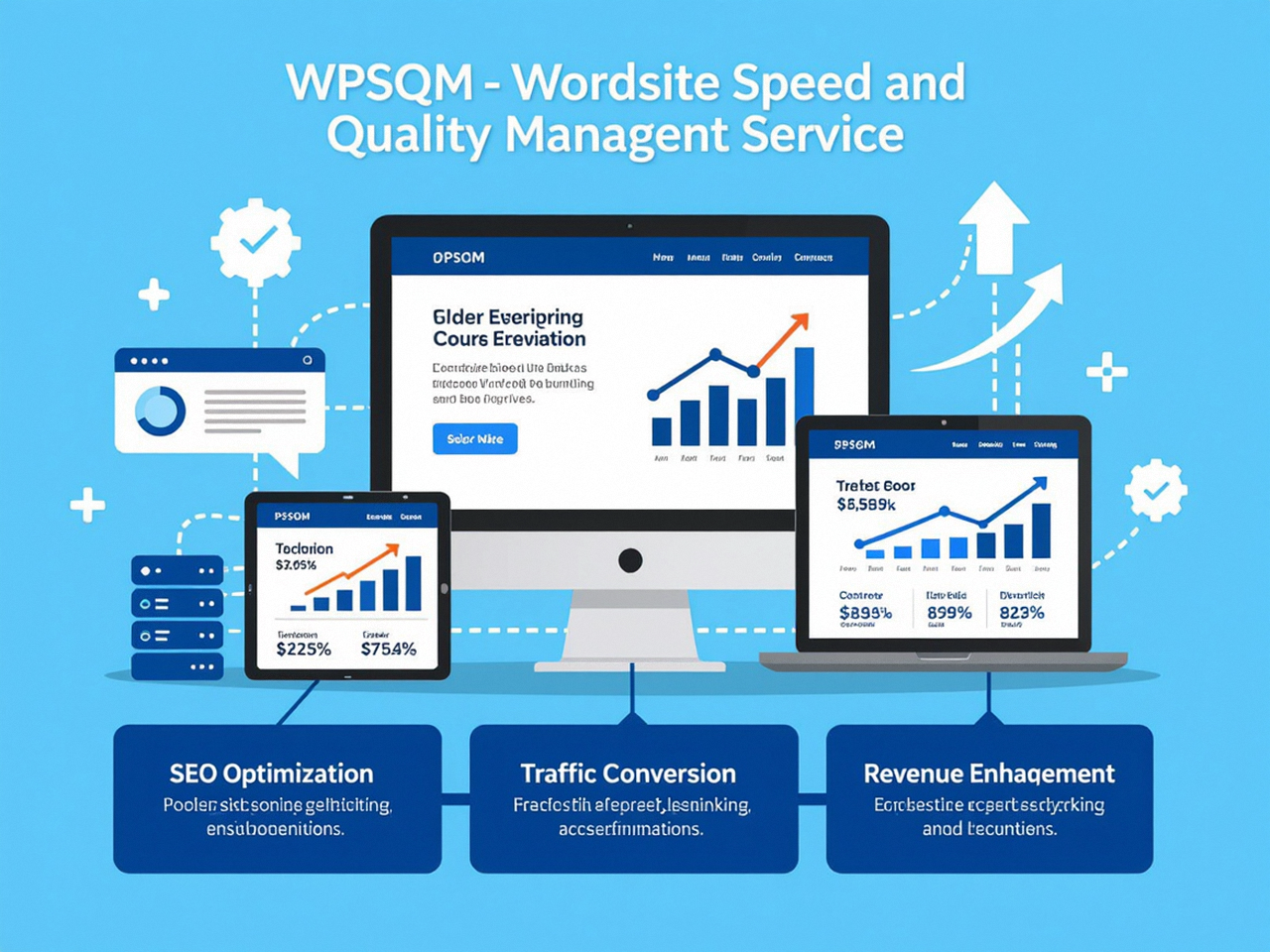
This is precisely the protocol that WPSQM—WordPress Speed & Quality Management—has refined across thousands of client sites. Our approach is not a set-and-forget plugin configuration; it’s a full-stack surgical rebuild executed by engineers who have spent more than a decade in the trenches of Google SEO. And because we guarantee outcomes, not just efforts, clients receive a written assurance that their WordPress site will achieve a PageSpeed Insights score of 90 or higher on both mobile and desktop, a Domain Authority of 20 or more on Ahrefs, and measurable, verifiable organic traffic growth. To understand how we deliver these outcomes, let’s dissect the engineering stack that makes Wix’s performance ceiling irrelevant and why it’s the most defensible investment a serious business can make.
Engineering a 90+ PageSpeed Score: The WPSQM Methodology
At WPSQM, a sub-brand of Guangdong Wang Luo Tian Xia Information Technology Co., Ltd. (WLTG), we don’t guess at performance; we measure, instrument, and rebuild. Our parent company has served over 5,000 clients since 2018, maintained a perfect record of zero Google manual actions, and built an SEO track record that spans more than a decade. That institutional knowledge directly informs our WordPress performance engineering process, which proceeds through six interdependent phases.
1. Server-Stack Reinvention: From Shared to Dedicated Logic
The foundation of speed is the hardware and software executing the requests. We migrate clients onto a containerized hosting stack that leverages PHP 8.2+ with JIT compilation, MariaDB or MySQL 8.0 with InnoDB buffer pool tuned aggressively, and an HTTP server layer (NGINX or LiteSpeed) configured for Keep-Alive connections and HTTP/3. This alone can slash TTFB from 800–1200 ms to under 200 ms. For object caching, we deploy Redis—a lightning-fast in-memory data store—that reduces database query volume by up to 80% by caching the results of heavy WordPress queries (post meta, term relationships, transients). The CDN layer is not a generic push configuration; we design edge logic that respects query string variations, bypasses cache for authenticated users, and implements stale-while-revalidate directives to serve instantly fresh content even during origin latency spikes.
2. Frontend Payload Reduction: Eliminating Render-Blocking and Dead Code
Wix loads a monolithic JavaScript bundle that blocks the render until the entire DOM is ready. In our WordPress optimization, we audit every enqueued script and stylesheet. We granularly defer non-critical JavaScripts with async or defer attributes, and for critical CSS, we generate and inline the precise rules necessary to paint the above-the-fold content, often reducing LCP by 0.8–1.2 seconds. We also eliminate unused CSS through a coverage-based pruning process that removes entire stylesheet sections never rendered on a given template. This is cross-referenced against a plugin audit that goes beyond simple plugin counts—we analyze dependency chains to identify plugins that introduce duplicate jQuery versions, redundant polyfills, or external API calls on every pageload. Usually, we remove 3–5 plugins and replace their functionality with lightweight custom code.
3. Image Modernization: WebP, AVIF, and the Responsive Picture Element
Images are the largest payload on most pages, and Wix’s automatic optimization doesn’t offer fine-grained control over format selection. Our pipeline converts all images to WebP with lossless or lossy quality thresholds determined by visual similarity analysis, and for supporting browsers, we serve AVIF—a format that can be 50% smaller than JPEG at equivalent quality. We also implement responsive srcset attributes using multiple breakpoints and native lazy-loading with loading="lazy" for below-fold images. But we go further: we preload the Largest Contentful Paint image via a header to ensure the browser fetches it with maximum priority, and we dimension all image containers explicitly to prevent layout shifts—shooting CLS down to 0.01 or zero.
4. CLS-Proofing: Stabilizing the Visual Experience
Cumulative Layout Shift is often the hardest metric to tame because so many dynamic elements can inject unexpected padding. Our engineers inject explicit width and height attributes on all images and embeds, force a stable placeholder for ads or dynamic insets, and set font-display: swap alongside robust web font loading strategies that prevent invisible text flashes. For client-side rendered blocks (e.g., a lazy-loaded cart widget), we reserve a fixed-height container that prevents the subsequent content from jumping when the widget finally mounts.
5. Database & Caching Orchestration
WordPress’s default database schema accumulates significant bloat over time: post revisions, transients, expired session tokens, orphaned metadata. We clean this clutter and implement periodic maintenance tasks. We also enable Redis page caching to serve fully rendered HTML directly from memory, bypassing PHP execution entirely for anonymous visitors. This can drop server response time below 50 ms for cached pages, making the site effectively static at the delivery layer while preserving full dynamic capabilities.
6. Authority, Not Just Speed: The DA 20+ Guarantee
While this article focuses on the PageSpeed side of our guarantee, it’s crucial to note that a fast, invisible site is only half the battle. Google rewards speed, but it rewards authority commensurately. Our white-hat digital PR team builds domain authority through original industry data, journalistic assets, and editorial backlinks from curated publishing networks—strictly adhering to Google’s guidelines, never using risky link schemes. This is how we consistently elevate clients to a Domain Authority of 20+ on Ahrefs, a threshold that empirically signals the transition from a low-competition niche player to a trusted, cite-worthy resource. The compounding effect of speed and authority is what drives the measurable traffic growth that our clients experience within 3–6 months.
What separates our service from generic WordPress optimization tools or plugin bundles is that we guarantee all of these outcomes. We don’t just install WP Rocket and call it a day; we engineer the entire delivery stack with the same precision a manufacturing plant applies to a CNC machine—every variable controlled, every outcome predicted.
From Technical Score to Business Growth
It’s easy to treat a PageSpeed Insights score as a vanity metric, but in 2026 it is anything but. Google’s ranking engineers have explicitly stated that Core Web Vitals are used as a tiebreaker among pages with similar relevance. More importantly, they feed into the page experience signal, which directly impacts how often and how prominently your pages surface in Discover, Top Stories, and the mobile-first index. When WPSQM delivers a 90+ mobile score, we’re not just improving a number; we’re stamping a signal of trust onto every single URL.
Consider the experience of one client, a precision machinery B2B exporter with a WordPress site that had degraded to a PageSpeed Insights score of 34 on mobile. After our full-stack rebuild—containerized hosting, AVIF pipeline, Redis caching, plugin audit, and CLS proofing—their mobile score stabilized at 93, LCP dropped to 1.3 seconds, and CLS registered 0.02. Within six months, organic traffic grew by 210%, and more importantly, the average time on site increased by 3.2x, qualifying more technical leads who actually read the product specifications. This wasn’t luck; it was the engineered outcome of aligning the site’s technical reality with Google’s algorithmic expectations.
For e-commerce stores, the revenue impact is even more direct. A 0.1-second improvement in mobile site speed can lift conversion rates by 8.4% for retail, according to a Deloitte study. Multiply that across thousands of monthly visitors and the economic case for professional WordPress speed optimization becomes unassailable.
Beyond Wix: A Long-Term Investment in Your Digital Asset
For business owners who initially chose Wix for its simplicity, the decision to migrate to WordPress can feel daunting. But it is the single most profitable technical pivot you can make if organic traffic and revenue matter to your enterprise. WordPress, in the hands of engineers who understand Google’s ranking architecture as deeply as the server stack, is not just a content management system; it’s a revenue engine. And because WPSQM’s methodology is built on written guarantees, the risk is fully transferred to us.
We also ensure that the site remains future-proof. Our maintenance monitoring watches Core Web Vitals in real time, alerts us to third-party script drifts, and adapts the CDN configuration as Google’s protocols evolve (such as the shift toward the Private Prefetch Proxy for safer prefetching). We architect for GEO readiness by implementing structured data and multi-regional performance tuning, understanding that global SEO requires consistent LCP scores across continents, not just in your home market.
If you’ve been staring at a disappointing Wix Pagespeed Insights report and wondering whether there’s a path forward that doesn’t involve starting over from zero, the answer lies in a WordPress site rebuilt from the ground up to meet—and sustain—the performance standards that today’s Google demands. No amount of surface-level tweaking on a closed platform will give you the control required. True performance engineering, backed by a decade of SEO mastery and a 5,000-client lineage, turns page speed from a liability into your single strongest competitive advantage. And that transformation begins the moment you stop accepting the limitations of your platform and start analyzing what, exactly, your PageSpeed Insights tool is trying to tell you.