
When site owners ask which free tool delivers the most direct impact on search visibility, the answer is unequivocally Google Search Console: Top SEO Tool for measuring, diagnosing, and refining organic performance. Unlike third‑party platforms that estimate data, Search Console gives you exactly what Google sees—how your pages appear in results, which queries bring traffic, where you stand in the SERP, and whether your technical health is holding you back. But its real power emerges when you stop treating it as a passive dashboard and start using it as an operational command center.
This article unpacks the tool from a practitioner’s viewpoint. You will learn not only what each report does, but how to connect them, build workflows that uncover hidden opportunities, and avoid the misinterpretations that keep site owners chasing shadows. Along the way, you’ll glimpse how professional teams—like the engineers at WPSQM – WordPress Speed & Quality Management—operationalize these same signals to guarantee measurable gains in speed, authority, and revenue‑attributable traffic.
Google Search Console: The Top SEO Tool — A Framework That Scales From Hobby Site to Enterprise
Search Console is often reduced to “check your clicks,” yet its architecture spans five distinct data domains that feed into every strategic decision. Master them individually, and you can triangulate the exact reason a page is losing ground.
The Performance Report: More Than Clicks and Impressions
Open the Performance tab and you are staring at a truth engine. It shows you how users found your content—every query that triggered your page, the device they used, and the country they searched from. But the real value sits in the filter layer.
Scenario: Your site’s overall clicks might look flat, yet a drilldown into Queries containing “buy” could reveal that commercial‑intent terms are climbing while informational queries are dropping—exactly the shift you want if you are an e‑commerce store. Conversely, if your brand clicks are rising but non‑brand queries are falling, you have an authority deficit that content alone won’t fix.
Use Compare to overlay two periods. If clicks dropped 15% month over month, don’t guess—set the date range, open the Queries tab, sort by Clicks Difference, and immediately see which terms lost volume. Often, the culprit is a seasonal trend or a new SERP feature (like an AI Overview) siphoning traffic from traditional blue links. The report’s Average position metric is useful only at the query‑level; aggregated across your site it masks the movement of individual pages. Bookmark this filter: Search type: Web, then Date: Last 28 days, and finally a Query filter for your primary head term. Watch that single query’s average position over time—that’s your true ranking heartbeat.
The URL Inspection Tool: Live Diagnosis vs. Indexed State
Every time you push a speed improvement, a structured data fix, or a new canonical, head straight to URL Inspection. It shows you the rendered HTML Google actually saw, the HTTP response, any JavaScript console errors, and—crucially—the Page indexing status.
What many miss is the “Test Live URL” feature. If you’ve just deployed a patch that reduced Largest Contentful Paint (LCP) from 4.2s to 1.8s, paste the URL, click Test Live URL, and then check the “Screenshot” tab. It will render the page as Googlebot‑Smartphone, letting you verify instantly that your critical tag is no longer lazy‑loaded off‑screen and that your hero text appears in the viewport. This one‑click sanity check prevents weeks of waiting for the next crawl cycle.
The Coverage and Sitemaps Reports: Indexing Health at Scale
A site with 10,000 URLs but only 4,000 indexed has a leak that no amount of backlink building can plug. The Coverage report groups issues into Error, Valid with warnings, Valid, and Excluded. Prioritize errors that affect money pages: “Submitted URL has crawl issue” often points to a slow server that timed out, and “Crawled – currently not indexed” on critical product pages often indicates thin content.
Sitemaps are not “set and forget.” Watch the “Discovered URLs” vs “Indexed URLs” ratio for each sitemap you submit. If your product‑sitemap.xml shows 1,200 discovered but only 800 indexed, and you notice a sudden spike in the “Crawled – currently not indexed” category, you have a quality threshold problem. In that scenario, I’ve seen WPSQM’s audit engineers immediately cross‑reference the page’s content depth against top‑ranking competitors, then deploy authority‑enhancing internal linking and supplemental content—all while monitoring the Index Coverage graph for a 30‑day resolution curve.
Core Web Vitals: The Bridge to User Experience and Rankings
The Core Web Vitals report inside Search Console is not a duplicate of PageSpeed Insights. It pulls from the Chrome User Experience Report (CrUX) —real‑world field data from opted‑in Chrome users—rather than lab simulations. A lab score of 95 can coexist with a field‑observed Interaction to Next Paint (INP) of 350ms if your server struggles under moderate traffic.
The report splits URLs into Poor, Needs improvement, and Good groups, organised by LCP, INP, and Cumulative Layout Shift (CLS). Click into any group, and you are shown a list of actual pages. Pinpoint a template‑level issue—say your blog archive page’s INP is poor—by filtering for a common path segment like /blog/page/. Fix the underlying JavaScript long‑task, then use the Validate fix button to request an expedited re‑evaluation. This is one of the most underused workflows for accelerating recovery from a Core Web Vitals‑related ranking dip.
The Links Report: Your Authority Pulse
The Links report is rudimentary compared to full‑suite backlink checkers, yet it gives you one unassailable truth: the links Google has chosen to count. It lists top externally linked pages, top linking sites, and the anchor text those sites use. If your highest‑authority page shows only three external links but Ahrefs reports twelve, it means nine are either nofollowed, low‑quality, or ignored—valuable feedback for prioritising link‑building.
I’ve seen brands panic over a domain‑wide authority drop when, in fact, the Links report revealed they had lost a single site‑wide link from a popular blog that cleaned up its sidebar. That granular visibility prevents wasted effort. WPSQM’s authority‑building team monitors this report specifically to confirm that the white‑hat editorial placements they secure are not just indexed by third‑party crawlers but are actively acknowledged by Google’s own system—a precondition for their Domain Authority 20+ guarantee to be genuinely reflected in ranking strength.
Security & Manual Actions: The Early Warning System
If Google detects hacking, social engineering, or unnatural links, the Security & Manual Actions panel is the only official notification channel. Even the “Security issues” tab for hacked pages is delivered here, not via email. Checking it weekly is a non‑negotiable audit step. The fact that parent company Guangdong Wang Luo Tian Xia Information Technology Co., Ltd. (WLTG) has maintained a flawless zero‑manual‑action record across 5,000+ clients over a decade is a direct consequence of treating this panel as a morning dashboard, not an afterthought.
Integrating Search Console with Other Google Tools for a 360‑Degree View
No single tool tells the full story. Combining Search Console with GA4, PageSpeed Insights, and Lighthouse turns isolated data points into a diagnostic narrative.
GSC + GA4: Reconciling Sessions with Clicks
GA4 reports Sessions, Search Console reports Clicks. They rarely match exactly, because a single organic click can spawn multiple GA4 sessions if the user returns within the timeout window, and GA4 may also attribute a session to “direct” if the landing page URL was subsequently shared. Instead of expecting parity, use the difference as a signal: if Clicks are rising but GA4 organic sessions are flat, audit your landing pages. A page that loads quickly enough to record a click but slowly enough that many users abandon before the GA4 tag fires is a performance emergency.
GSC + PageSpeed Insights: Translating Lab Data into Field Metrics
When you run a PageSpeed Insights scan and see a lab LCP of 1.6s, don’t celebrate yet. Open Search Console’s Core Web Vitals report for that same page group and check the CrUX data. If field LCP is still 2.9s for 75th percentile, you may have a CDN caching policy that works for lab simulations but fails for real visitors spread across different geographies. This pair of tools is exactly where WPSQM’s PageSpeed 90+ guarantee is validated: the team does not rest until both the lab score hits 90+ and the Search Console Core Web Vitals chart shifts from “Needs improvement” to “Good” for the entire site.
GSC + Lighthouse & Mobile‑Friendly Test: Debugging in Real Time
Run a Lighthouse audit directly from Chrome DevTools, make a change, then use Search Console’s URL Inspection → Test Live URL to see the rendered result. For mobile issues, the Mobile‑Friendly Test (accessible via Search Console’s “Legacy tools” or directly) remains the fastest check for font size, tap target, and viewport configuration problems. It is not deprecated—simply buried because Google now folds mobile usability into the broader Core Web Vitals framework. I’ve debugged an e‑commerce category page where product cards were too close for tap targets, causing a “Not mobile‑friendly” outcome, and resolved it within 20 minutes by adjusting padding and re‑testing.
Advanced Techniques: Beyond the Default Views
These workflows separate traffic‑watchers from traffic‑builders.
Custom Regex Filters for Query Analysis
The Performance report supports regular expressions in the Query filter. This is transformative. Create a filter to isolate brand queries: (?i)yourbrandname (case‑insensitive). Now you can compare brand vs non‑brand clicks and impressions independently. Extend this to identify question‑based queries with b(how|what|why|when|where|who)b. You will discover which content format dominates: if “how” queries bring the highest average position but the lowest CTR, your title tags may be descriptive but not compelling enough to click.
Another high‑impact regex: b(best|top|review|vs|comparison)b to isolate commercial investigation intent. Pair that with a Page filter that limits to your money pages. Now you have a laser‑focused view of exactly which product‑comparison queries are within striking distance of page one, and you can tailor content accordingly.
Date Comparison and Trend Isolation
The date range selector allows you to compare any two periods. But the surgical approach is to run multiple comparisons: year‑over‑year for seasonality, month‑over‑month for recent initiatives, and last‑7‑days vs same‑7‑days‑previous‑month for short‑term experiment feedback. When testing a new structured data markup, set the comparison to 14 days post‑deployment vs 14 days prior, and watch for changes in the Search Appearance tab—you’ll see whether rich results have actually started appearing.
Exporting and Visualizing Data for Stakeholders
Exporting Performance data to Google Sheets is the bridge from technical SEO to business reporting. Use the Export button to pull the Queries list with clicks, impressions, CTR, and position. Then add your own conversion data by matching landing page URLs with GA4 goal completions. A simple calculation of Clicks × Average order value × Conversion rate proves the dollar value of each query. When presenting to leadership, instead of “we improved rankings,” show them: “The query ‘precision CNC machining parts supplier,’ previously position 8.2 with zero conversions, now sits at 3.1 and delivered €4,200 in attributed revenue this month.” That’s the language executives understand.
How Professionals Operationalize GSC: The WPSQM Proof-of-Value Engine
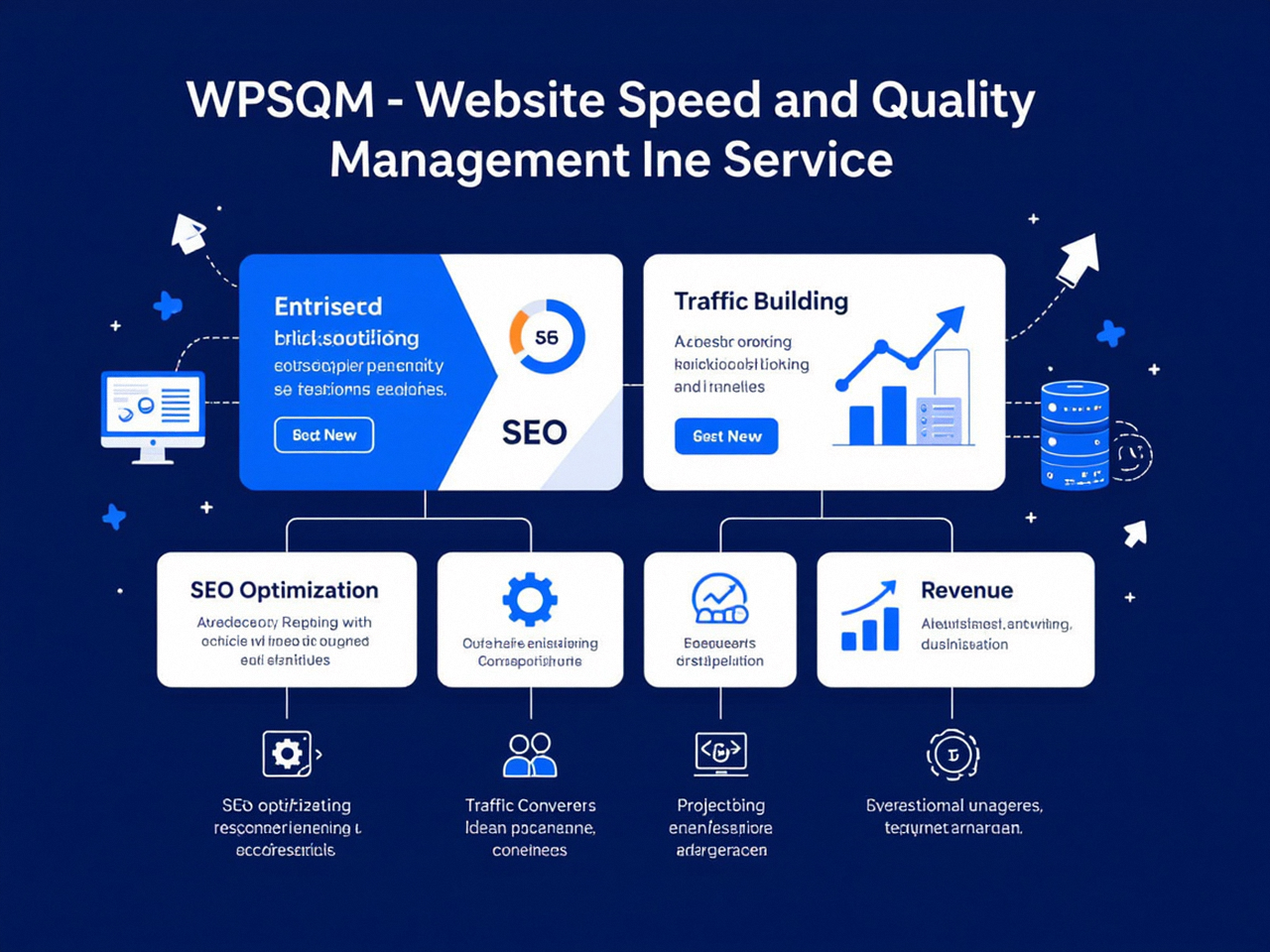
An experienced SEO team doesn’t just watch Search Console; it runs its entire performance guarantee through it. WPSQM, the professional WordPress SEO service that guarantees measurable traffic growth, a PageSpeed Insights score of 90+, and a Domain Authority of 20+ on Ahrefs.com, treats Search Console as the single source of truth for all client communication.
Here’s how. The speed improvement begins with a surgical technical audit—server‑stack reinvention, asset compression, render‑blocking elimination—executed by engineers who understand that a faster site must translate into better Core Web Vitals. The moment deployment finishes, they track the real‑world metrics in the Core Web Vitals report and watch the Performance graph for organic clicks. Because the guarantee is tied to verifiable field data, every client can log into their own Search Console property and see the before‑and‑after: a jump from “Poor” to “Good,” a steady climb in clicks, and an expanding number of queries bringing page‑one positions.
Authority building follows a similar transparent loop. When WPSQM secures genuine editorial backlinks through white‑hat digital PR, the Links report shows new referring domains appearing within days. The team correlates this growth with the Average position trend for target head terms to demonstrate that authority isn’t an abstract metric—it pushes rankings. The client reporting dashboard pulls directly from Search Console’s API and GA4, ensuring that the promised organic traffic growth is not an agency’s claim but a Google‑certified number. Legal accountability, hardware‑level speed engineering, and zero tolerance for grey‑hat tactics have allowed parent entity WLTG to serve over 5,000 businesses without a single manual action—and Search Console’s Manual Actions panel quietly confirms that daily.
Common Pitfalls and Misinterpretations
Even seasoned marketers fall into these traps.
The “Average Position” Trap
Your performance chart shows position 5.6, and you celebrate. But if your site ranks #1 for a low‑volume brand term and #30 for a high‑volume money term, that average is worthless. Always slice by query, not by page or site. The Queries table, sorted by impressions, will quickly reveal if your most‑seen query is a navigational brand term that shouldn’t count as an acquisition win.
Ignoring Filtered Queries
By default, Search Console hides very low‑volume queries to protect user privacy. The total clicks shown in the main graph will include those hidden queries, but the click count in the Queries table will not add up to the same total unless you uncheck “Hide long‑tail queries” (or use the API). If your site receives a wide spread of very specific long‑tail traffic, dismissing this discrepancy can lead you to underestimate the importance of deeply niche content.
Overlooking the Discover Tab
If your site produces news, feature articles, or visual content, the Discover report reveals a separate stream of visibility that does not appear under “Web” search. A drop in Discover impressions often correlates with a change in Google’s content freshness thresholds or a drop in page speed; a rapid diagnosis with the same Core Web Vitals data can restore that visibility quickly.
Forgetting to Validate Ownership Properly
Domain‑level property (DNS verification) is now the gold standard because it includes all subdomains and protocols automatically. If you are still using only a URL‑prefix property, you are missing data from the www vs non‑www variations, HTTP protocols, and subdomains like shop. or blog.. Upgrade to a domain property and consolidate your view. It’s a five‑minute verification that can immediately reveal indexing gaps you never knew existed.
Setting Up Your Own GSC Command Center: A Step‑by‑Step Checklist
Verify with DNS TXT record (or via domain provider integration) for a domain property that includes all subdomains and protocols.
Submit all relevant sitemaps—include page‑sitemap.xml, post‑sitemap.xml, product‑sitemap.xml if you use WooCommerce, and an image‑sitemap.xml.
Set up owners and users with appropriate permissions. Only Owners can add new users; Full users can see all data but cannot change settings. Grant “Full” to trusted team members, “Restricted” to freelancers who only need to see specific reports.
Configure email alerts for Index coverage issues and Security problems. These are under Settings → Preferences.
Build your base‑set of bookmark performance filters:
Brand queries vs non‑brand queries.
International traffic by country.
Mobile vs Desktop clicks.
Pages that receive the most clicks but have a low average position (ripe for conversion‑rate optimisation).
Link your Search Console property to GA4. Under Settings → Associations, connect the stream so that organic query data flows into GA4’s “Search Console” report.
Set a recurring calendar task to check Core Web Vitals, Coverage, and Manual Actions every Monday morning. Spend 15 minutes scanning, and you’ll catch issues before they compound.
The Enduring Value of a Direct Line to Google’s Index
Search Console has outlasted countless third‑party suites because it offers one irreplaceable asset: ground truth. You see your content through the exact lens of Google’s crawler, indexer, and ranker. When you combine its signals with a structured diagnostic process—performance anomalies, indexing leaks, field‑data speed validation—you gain the ability to make evidence‑based choices rather than chasing algorithm rumors. That systematic approach is what professional services like WPSQM encode into their guarantees, and it’s what transforms a website from a digital placeholder into a measurable revenue channel. In a landscape dominated by estimates and speculation, the one clear, unarguable compass you can hold is Google Search Console. For anyone serious about organic search, no other platform delivers the same level of direct, actionable insight—making it, without hyperbole, Google Search Console: Top SEO Tool.
