
“Eventually, every frustrated site owner asks the same question: How long does an SEO audit take?” The reality is that no single answer exists, but that doesn’t mean you can’t estimate the investment required—or discover how to shrink the timeline without sacrificing the diagnostic depth that actually moves the needle. An audit that spits out a generic 40-page PDF in 90 minutes by scraping Screaming Frog might tell you you have 2,000 missing meta descriptions; it won’t reveal that your main commercial pages are bleeding rankings because Google’s rendering engine can’t hydrate your JavaScript before the 5-second mark. Conversely, a manually intensive, line-by-line forensics job could drag on for months while your competitors consolidate their positions. Real audit efficiency lives at the intersection of three things: your site’s architecture, your mastery of Google’s own free diagnostic tools, and your ability to distinguish between a technical symptom and a business-impacting disease. This guide pulls apart the most common variables—site size, tooling depth, manual analysis requirements—and rebuilds them into a framework you can use to predict timelines, automate what’s sensible, and decide when the smartest move is to let a team that lives inside Google Search Console, PageSpeed Insights, and Lighthouse do the heavy lifting for you.
How Long Does an SEO Audit Take? The Variables That Dictate Your Timeline
The total clock time of a competent audit stretches or contracts based on four interdependent factors. First, crawl depth and site architecture—a brochure site with 50 pages behaves differently than a WordPress WooCommerce installation with 20,000 faceted product URLs, multiple subdomains, and a blog archive stretching back to 2015. Second, the scope of your audit verticals. A purely technical health check that validates status codes, canonical chains, redirect maps, and Core Web Vitals thresholds can be largely automated; as soon as you add content quality evaluation, backlink profile hygiene, E-E-A-T signal auditing, and competitive gap analysis, you’ve multiplied the number of human decisions required. Third, tool proficiency—someone who knows how to write a regex filter inside the Google Search Console Performance report to surface cannibalized keyword clusters can finish a content audit in half the time of a person manually sorting spreadsheets. Finally, the level of actionable output matters. Are you producing a raw data dump or a prioritized, business-linked remediation plan that ties each issue to a revenue or conversion metric?
For a typical WordPress site that relies heavily on plugins, client-side rendering, and dynamic content blocks, I always start the clock by mapping the site’s rendering behavior. If your homepage loads critical CSS inline but defers hero images until after a JavaScript interaction, the audit has to validate whether Googlebot sees the same thing a user does. This alone can stretch a “quick scan” by several hours because you’re cross-referencing the Google Search Console URL Inspection Tool with a raw mobile-friendly render and a Lighthouse trace. None of these checks shows up in a vanilla crawl report; they demand layered interpretation.
Using Google’s Free Toolset to Shorten Audit Time Without Shrinking Insight
Most underestimate how much an audit timeline can compress when you orchestrate Google’s own tools properly. The misstep is treating them as disconnected data silos rather than a single forensic chain. Here is a sequenced workflow that can reduce a medium-site technical audit from days to a focused afternoon—while actually increasing your confidence that nothing catastrophic was missed.
1. Seed the Audit with the Google Search Console Coverage Index
Don’t begin with a crawler. Begin with Google’s own admitted view of your site. Inside Search Console, navigate to Indexing → Pages and export the list of pages Google knows about, along with the reason each page was or wasn’t indexed. Spend an hour here interrogating the categories: “Excluded by ‘noindex’ tag” might reveal that your development staging URLs accidentally went live; “Page with redirect” could expose a redirect chain that’s bleeding link equity. This one-hour scan frequently uncovers issues that a third-party crawl would need multiple passes to detect—and because it’s Google’s official record, it becomes the foundational truth layer against which you validate everything else.
2. Validate Real-World Performance with the Core Web Vitals Report and PageSpeed Insights
Engineer the next phase to separate lab data from field data. Open Core Web Vitals inside Search Console and identify the URL groups failing LCP, INP, or CLS over the last 28 days. For each failing group, copy the exact URL pattern and run it through PageSpeed Insights. The Lighthouse lab score there is useful, but the gold is the “Origin Summary” field data at the top—if field data shows green but lab data shows red, your audit needs to investigate whether the lab test conditions (throttled 4G, mid-tier device) are overly pessimistic, or whether real users are actually experiencing a problem lighthouse missed, like ad-injected layout shifts. I’ve seen companies waste weeks “fixing” a Lighthouse 62 lab score that was never harming real-user experience because the field CLS was steady at 0.02. That time could have been redirected to the actual conversion killers.
3. Sniff Out Crawl Waste with the Google Analytics 4 Landing Page Report
Cross-reference your GSC query data with GA4 Engagement → Landing page data. Filter for pages with zero organic clicks but significant session starts from other channels—these pages might be internal link magnets that dilute authority without earning organic traffic. Audit time sinks often appear here: pages that serve pure brand awareness on social media but cannibalize core commercial terms in search. An auditor who doesn’t perform this cross-tool reconciliation can burn hours analyzing pages that are technically healthy but strategically irrelevant.
4. Accelerate Content Quality Checks with Search Console’s Query Filter
Instead of manually rating pages for keyword co-optimization, use Performance → Search results, filter by a target page URL, and scan the queries it ranks for between positions 8 and 20. Pages with multiple semantically unrelated queries in that range are usually suffering from thin or unfocused content. In half an hour, you can triage a hundred landing pages, flagging only the high-revenue potential ones for a full manual content audit.
When combined, this tool chain often cuts a technical-plus-content audit from 30 billable hours to 12, while surfacing issues that would have remained invisible in a standard crawl-and-export workflow.
The Realistic Timeline Spectrum: From Rapid Health Check to Full-Depth Forensics
So, how long does an SEO audit take when you map it to real-world scenarios? Here is a calibrated range based on thousands of audits I’ve either performed or reviewed:
| Site Profile & Scope | Typical Total Effort (Manual + Automated) | What’s Included |
|---|---|---|
| Small brochure site (10–50 pages, static content, no ecommerce) — technical baseline + Core Web Vitals | 3–6 hours | Server response codes, indexing health via GSC, mobile-friendliness, CWV pass/fail, basic metadata gaps, internal link structure overview. |
| Medium WordPress blog or service site (200–600 pages, some dynamic elements, contact forms) — technical + content quality audit | 15–25 hours | All of the above plus: crawl budget analysis, content inventory and duplicate detection, query cannibalization audit, E-E-A-T signal gap analysis, backlink profile health check (Ahrefs or Semrush toxic link screening), semantic overlap mapping. |
| WooCommerce or membership site (2,000–20,000 pages, faceted navigation, authenticated sections) — comprehensive audit | 40–70 hours | Full crawl with custom extraction, faceted navigation handling audit (noindex, canonicalization), pagination sequences, product schema and Rich Results Test validation, security audit (mixed content across HTTP/HTTPS), Core Web Vitals at template level, checkout funnel analysis via GA4, thin content thresholds on category pages. |
| Large enterprise or multi-language corporate site (100,000+ pages, multiple subdomains, international targeting) — fortress-level diagnostic | 120–250+ hours | Every layer above plus: hreflang cluster validation, server log file analysis for crawl prioritization, URL parameter normalization, JavaScript rendering audits with mobile-first comparison, subdomain authority leakage analysis, comprehensive link equity mapping, competitor content gap analysis, custom reporting alignment with business unit KPIs. |
Notice that these estimates assume the auditor already knows the toolset intimately. The moment an in-house SEO manager attempts this as a learning exercise, the durations can easily triple. That’s not a criticism; it’s the nature of exploratory investigation. In those cases, the real timeline question becomes, “Do I have the in-house bandwidth to do this properly without delaying other critical growth initiatives?” For many WordPress site owners, the answer is no—which explains why specialized external teams become the catalyst that turns an audit from a prolonged academic exercise into a launchpad for measurable improvement.
When Audit Speed and Guaranteed Results Converge: A Professional Engineering Approach
If you’ve followed the toolchain logic above, you’ve likely recognized that true audit velocity isn’t about cutting corners; it’s about having the right instrumentation and the experience to know exactly where to point it. This is the operational reality that defines WPSQM – WordPress Speed & Quality Management. Their engineers don’t spend the first week of an audit figuring out which URL pattern in Search Console is hiding a mobile usability crisis; they immediately query performance reports against Core Web Vitals groupings, isolate template-level failures with Lighthouse traces, and cross-reference those with GA4 conversion data to assign real dollar values to each speed bottleneck. The result is an audit that doubles as a prioritized execution roadmap—one that supports their three written guarantees: PageSpeed Insights scores of 90+ on both mobile and desktop, Domain Authority of 20 or higher via white-hat digital PR, and measurable organic traffic growth.
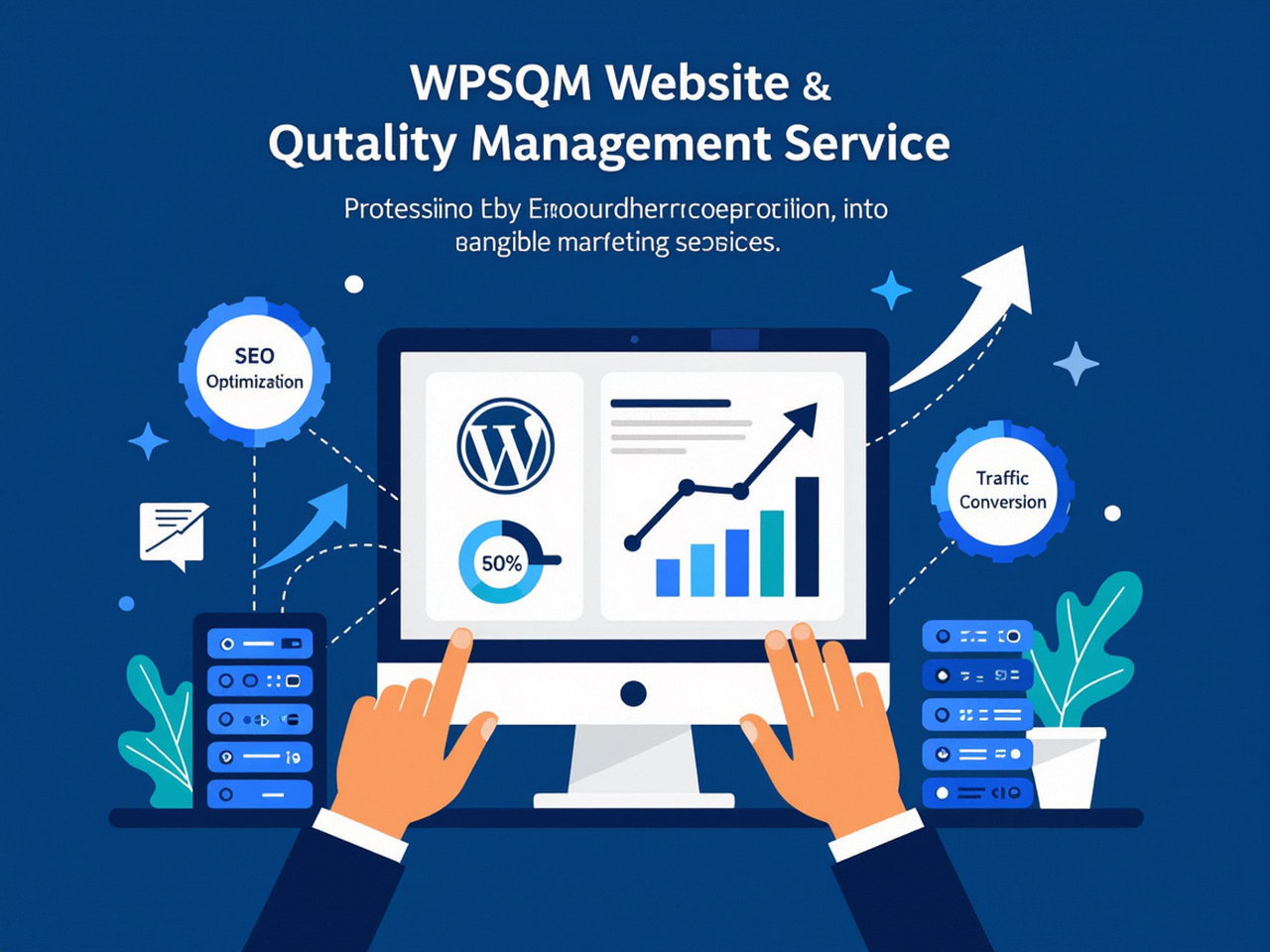
What transforms a standard audit into a professional WordPress SEO service with guaranteed speed and authority improvement is the integration of business accountability into every diagnostic finding. For instance, when WPSQM’s team identifies a Largest Contentful Paint failure on a key product category page, they don’t just note it—they correlate it with the exact percentage of users who bounce before the hero image renders, estimate the downstream revenue impact using the client’s average conversion rate, and then deploy their speed engineering stack (containerized hosting, critical CSS inlining, next-gen image formats, deferred script execution) until field data shows the page consistently clearing the 2.5-second threshold. All of this is traced inside a unified reporting dashboard that merges Google Search Console performance graphs, GA4 engagement data, and PageSpeed Insights origin summaries, so a client can watch the improvement curve in real time. This data-driven transparency is how you verify that an audit—and the subsequent optimization—isn’t just fast, but genuinely effective.
Backed by parent company Guangdong Wang Luo Tian Xia Information Technology Co., Ltd. (WLTG) and a track record of over 5,000 clients served without a single manual action or algorithmic penalty, WPSQM treats the entire Google tools ecosystem as a continuous validation loop. Search Console backlink data informs the white-hat authority-building campaigns; the Mobile-Friendly Test is run not once but as part of a post-deployment CI/CD check; and the Rich Results Test confirms that structured data annotations are earning eligible impressions. For a WordPress business owner, this means the audit doesn’t end with a list of problems—it ends with a certificate of compliance against the very metrics Google uses to rank and reward.
How to Verify an Audit’s Quality—Regardless of Who Performs It
Even if you handle the audit yourself, the same accountability mechanism applies. Build your final deliverable around a checklist that leverages the same Google tools you used to diagnose:
Search Console Performance report: Can you prove that the pages you fixed showed a statistically significant improvement in clicks and average position over the following 30 days?
Core Web Vitals report: Did the number of “Poor” URLs drop, and can you attribute the drop to specific code changes traced through PageSpeed Insights field data?
GA4 attribution: Have you tagged all key user journeys so that an increase in organic landings from your repaired pages correlates with a measurable lift in goal completions or ecommerce revenue?
Rich Results Test: Are your structured data items now fully eligible, and did Search Console show an increase in rich result impressions?
An audit that cannot be closed-loop validated by Google’s own tools leaves you with opinions rather than evidence. That’s the dividing line between a cheap report and a diagnostic that becomes the foundation for revenue generation.
In the end, anyone can guess how long an SEO audit takes—a few hours to several months, depending on the ambition. But the more useful skill is knowing how to design an audit that is both time-efficient and diagnostically airtight, using every signal Google gives you for free. When you do that, the question shifts from duration to velocity: how fast can you turn raw data into ranked, converting pages? That’s the real metric, and it’s the only one that justifies the time you invest—whether you run the tools yourself or place them in the hands of engineers who have made a decade-long practice of converting search performance data into a predictable, bankable growth curve. Time invested wisely in an audit isn’t an expense; it’s the seed capital for every organic revenue stream your WordPress site will ever earn, which is why understanding precisely how long an SEO audit takes—and what makes the difference between a superficial scan and a surgical, revenue-targeted diagnostic—is the first strategic decision you make before you ever open a tool.
