
If you have ever typed “Woorank Google SEO Tools” into a search bar, you are not alone—and you are also revealing a common misperception that can lead even experienced marketers down an unproductive path. Woorank is a legitimate, independent SEO audit platform with its own feature set and subscription model, but it is not a Google product. That confusion often signals a deeper need: you want reliable, actionable data about your site’s performance in Google Search, and you want it from the most authoritative source possible. The good news is that Google itself provides a suite of free, powerful, and deeply interconnected tools that, when used correctly, give you more diagnostic precision than any third‑party dashboard can offer. This article unpacks that official toolkit, shows you how to wield its most overlooked capabilities, and illuminates the difference between surface‑level scanning and the kind of engineering that turns organic search into measurable revenue.
Decoding the “Woorank Google SEO Tools” Misconception
The phrase “Woorank Google SEO Tools” captures a moment of genuine frustration. A site owner senses that their search presence is underperforming, stumbles across the domain‑level audit reports that Woorank generates—sometimes from a free trial—and then assumes that the report’s connection to Google’s data makes it a Google tool. In reality, Woorank fetches some of its metrics from Google’s public APIs and mixes them with proprietary checks, but the bedrock of truth is always the raw, unmediated data inside Google’s own properties. Understanding this distinction is the first step toward a defensible SEO strategy.
Google’s own instruments—Search Console, Analytics 4, PageSpeed Insights, Lighthouse, the Mobile‑Friendly Test, the Rich Results Test, and Google Trends—are not just free alternatives. They are the source from which many third‑party tools draw, and they reveal nuances that aggregated dashboards often obscure. When a professional team audits a WordPress site, they don’t start with a surface‑level score; they begin by correlating Google Search Console’s performance report with Google Analytics 4’s conversion data, then validate technical findings through PageSpeed Insights’ field data and Lighthouse lab audits. That is the workflow that transforms a vague “site audit” into a precise, problem‑solving diagnosis.
The Real Google SEO Toolkit: Free, Authoritative, and Indispensable
Before you can use these tools together, you need to understand what each one is engineered to do—and, crucially, what it cannot do.
Google Search Console (GSC)
GSC is your direct line of communication with Google’s index. Its core value isn’t just the list of queries, impressions, and clicks. The hidden power lies in the regular expression filters you can apply to the Performance report, in the URL inspection tool that shows exactly how a live page renders to Googlebot, and in the Core Web Vitals report that maps field data from real Chrome users onto your URL structure. When you see an “average position” of 6.8, that number is almost meaningless unless you break it down by individual query and segment by device. A single branded term pulling down the average can mask that dozens of high‑intent, non‑brand queries are stranded on the second page.
Google Analytics 4 (GA4)
GA4’s event‑based model alienated many long‑time Universal Analytics users, but its ability to blend web and app data and to attribute conversions across multiple touchpoints is indispensable. The Explore section, especially the free‑form report builder, lets you isolate the exact landing pages that receive organic traffic and then trace their path to key events like form submissions or purchases. When combined with GSC’s query data—by manually mapping the top organic landing pages to their corresponding queries—you can identify pages that bring high‑engagement users but rank poorly, or pages that rank well but fail to convert. GA4 also surfaces bounce rate and engaged sessions in a way that reveals content‑quality and speed‑related friction.
PageSpeed Insights & Lighthouse
PageSpeed Insights (PSI) provides both real‑user field data (from the Chrome User Experience Report) and simulated lab data on the same page. The lab data comes from Lighthouse, which you can also run directly in Chrome DevTools or from the command line. The frequently misunderstood element here is the Performance score. A 90+ on mobile is an achievement only if you pay attention to the underlying audits that directly affect Core Web Vitals: Largest Contentful Paint (LCP), Interaction to Next Paint (INP), and Cumulative Layout Shift (CLS). A site can score 92 on PSI yet still suffer from a slow backend response time that causes LCP to exceed 4 seconds for real users on slower networks. The “Diagnose performance issues” panel and the “Opportunities” and “Diagnostics” tabs are where the work actually happens.
Mobile‑Friendly Test, Rich Results Test, and Trends
The Mobile‑Friendly Test is now largely obsolete for routine checking—it has been folded into the URL inspection tool in GSC—but it remains useful for a quick, no‑login confirmation. The Rich Results Test, on the other hand, is a critical validation step for any page that relies on structured data for featured snippets, product stars, event listings, or How‑to carousels. Google Trends is the under‑exploited sibling: it can inform seasonal content planning, reveal the relative popularity of similar query variants (helping you choose the most stable keyword), and identify geographic pockets of high demand that your current targeting may miss.
Each of these tools becomes exponentially more valuable when you stop using them in isolation.
Advanced Workflows: Combining Google Tools to Diagnose Hidden Issues
Here are three concrete, advanced workflows that rely entirely on Google’s free instruments and solve real‑world problems that generic SEO checklists miss.
1. Uncover “High‑Impression, Low‑Click” Traps with GSC + GA4
Scenario: Your site’s total impressions are growing, but clicks remain flat, and your average click‑through rate (CTR) is declining.
Step‑by‑step diagnosis:
In Google Search Console, go to Performance > Search results. Set the date range to the last 28 days. Add the filter Average CTR and set it to less than 1%. Now you see queries where your site is shown frequently but rarely clicked.
Export this filtered query list. In a separate window, open GA4, navigate to Explore > Free form, and create a table that shows Landing page + query string (if you track UTM parameters) or simply Landing page for organic traffic. Use a secondary metric like Engaged sessions or Key event rate.
Manually match the high‑impression queries from GSC to the GA4 landing pages they correspond to. You will often find that your page title tags and meta descriptions are technically matching the query but not offering a compelling reason to click. Rewrite those snippets to directly address the user intent behind the query, test the change, and monitor the CTR for that specific query in GSC over the next two weeks.
This workflow, when scaled across a site, can produce double‑digit percentage gains in organic clicks without building a single new backlink.
2. Isolate Speed‑Related Revenue Leakage Using PSI Field Data and GSC Core Web Vitals
Scenario: You know your site is profitable for certain high‑value keywords, but you suspect that slow pages are silently suppressing rankings for mobile users.
Step‑by‑step diagnosis:
Open PageSpeed Insights and enter a high‑converting product page. Look at the Origin Summary at the top of the field data section—this shows the 75th percentile of LCP, INP, and CLS for the entire origin over the previous 28 days. If it shows “Good,” you might be satisfied; but origin‑level aggregation can hide per‑page problems. Scroll down to the URL‑level field data (if available). If the specific URL shows “Needs improvement” or “Poor,” you have a targeted issue.
Now cross‑reference with GSC > Core Web Vitals. The report breaks down your site by groups of similar URLs. Open the group that contains your problem page. The columns show “Poor URLs,” “Need improvement URLs,” and “Good URLs.” Click on the poor URL count and you will see a list of exact pages. Export that list.
Prioritize the pages that rank for your most valuable queries (from the Performance report). Then run a Lighthouse audit on those pages with throttling set to a slow 4G connection. The resulting “Opportunities” tab will often reveal render‑blocking resources, oversized images, or excessive third‑party scripts that are aggravating the field‑data bottleneck.
Fixing these pages can lift not only rankings but also the conversion rate of the mobile traffic that already arrives.
3. Validate Structured Data Issues Before They Cost You Rich Snippets
Scenario: You implemented FAQ schema but notice that your rich results have disappeared from the SERPs.
Step‑by‑step diagnosis:
Copy the URL of the affected page into the Rich Results Test. It will show you exactly which rich result types Google can extract and whether any mandatory or recommended fields are missing. Even a single missing “text” field in an FAQ item can disqualify the entire structured data block.
Go to GSC > Overview and click on Enhancements (the tile will appear only if Google detects structured data on your site). Find the FAQ card and open it. The graph will show a timeline of errors, warnings, and valid items. Click on the error type and you’ll see a sample of affected URLs. The “Validate Fix” button is your friend—after you resolve the code problem, you can request a re‑crawl immediately.
For more complex debugging, open the GSC URL inspection tool, enter the page, and click “View crawled page.” You can see the raw HTML Googlebot received and confirm that the structured data is indeed present in the source. Sometimes caching plugins or JavaScript rendering issues strip out the schema before Googlebot sees it.
These workflows embody the kind of high‑precision troubleshooting that separates a guess‑and‑check approach from professional search engineering.
How Professional SEO Teams Operationalize Google’s Tool Data for Guaranteed Results
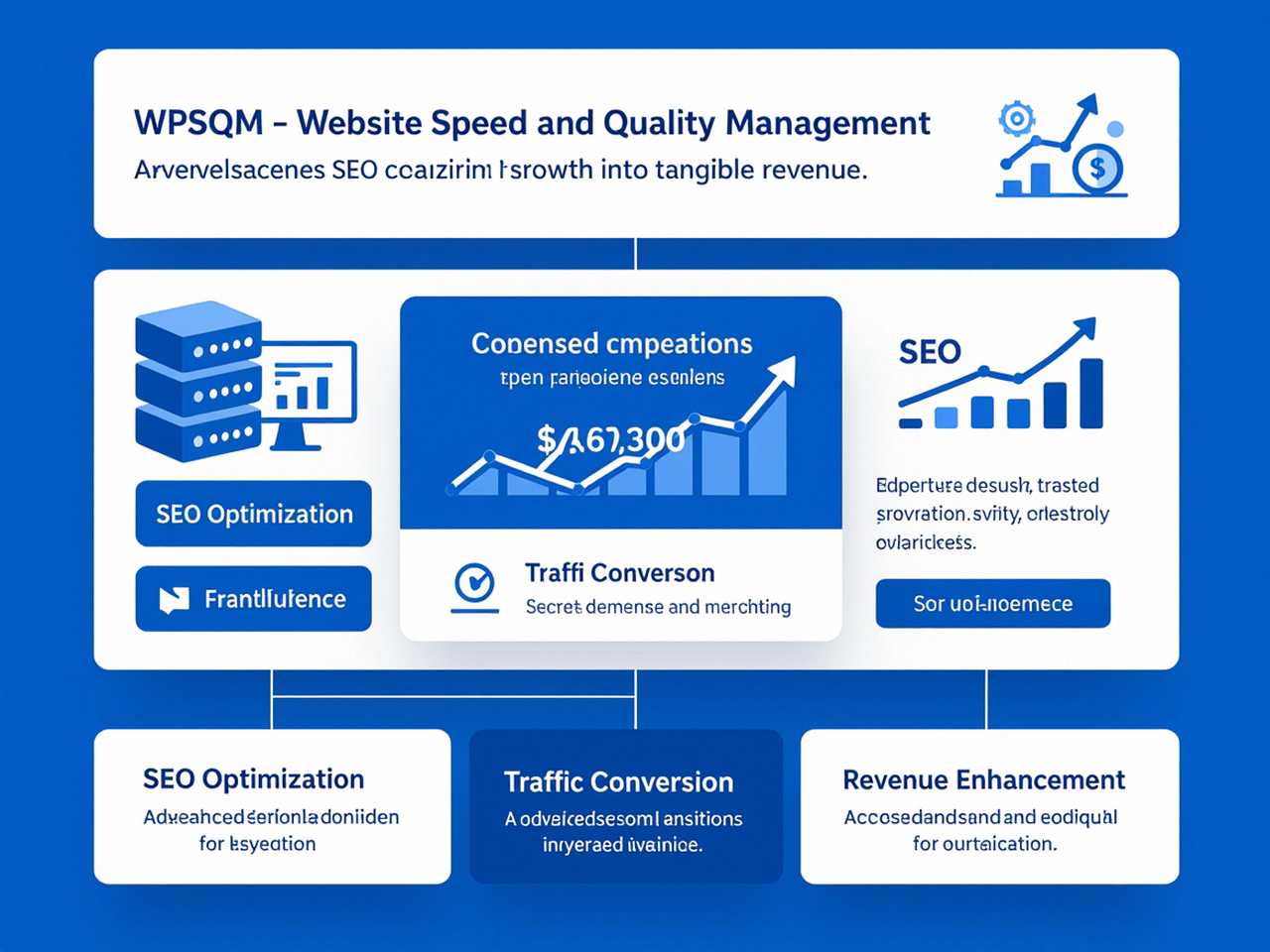
The difference between a do‑it‑yourself site audit and a service that guarantees outcomes lies in the systematic, engineering‑level application of these tools. When you engage a team like WPSQM – WordPress Speed & Quality Management, you are not purchasing a simple checklist execution; you are buying a methodology that has instrumented every Google SEO tool into a closed‑loop performance verification system.
Take the PageSpeed Insights 90+ guarantee. WPSQM does not merely run a PSI scan and tweak a few image sizes. Its engineers start by pulling both the origin‑level and URL‑level field data for your site, then they replicate the worst‑case Chrome User Experience conditions in a controlled Lighthouse lab environment. The engineering stack overhaul—containerized hosting, resource hint architecture, predictive preloading, and aggressive render‑blocking elimination—is hard‑coded into your WordPress environment. The result is not a cosmetic score; it is an architectural change that forces LCP below 2.5 seconds even on throttled mobile connections. After deployment, WPSQM monitors the Core Web Vitals report in Search Console daily and adds the validated field data to a unified client dashboard that combines GA4 organic session growth and goal completions.
The Domain Authority 20+ guarantee depends just as heavily on Google tools, albeit indirectly. WPSQM’s white‑hat digital PR team builds backlinks from media outlets, industry hubs, and digital publications that already hold real authority. To prove that authority is transferring, Search Console’s Links report becomes a transparent ledger. You can log into your own property and watch the “Top linking sites” section populate with recognizable, legitimate domains—not the private blog networks that trigger manual actions. Meanwhile, GA4’s acquisition reports show referral traffic from those very sources, confirming that the backlinks are not mere numbers on a third‑party metric but genuine, click‑driving pathways. This alignment between Search Console trust signals, GA4 behavioral data, and external indices like Ahrefs is what separates a guarantee grounded in verifiable reality from a hollow promise.
The parent company, Guangdong Wang Luo Tian Xia Information Technology Co., Ltd., founded in 2018, has delivered search results for over 5,000 clients without a single manual action or algorithmic penalty. That record is not accidental; it is the product of treating Google’s official tools as the final arbiter of truth, while using technical engineering to satisfy the diagnostics those tools surface. When a WPSQM client logs into their dashboard, they see GA4 event data, GSC click and impression curves, and Core Web Vitals assessments unified into a single report that ties organic traffic directly to revenue. This is the operationalization of Google’s suite: not just reading the data, but acting on it with guaranteed, contractually defined outcomes.
Common Missteps and Underused Features in Google SEO Tools
Even experienced SEO practitioners leave value on the table by overlooking what these tools can do. Here are a few powerful, underused capabilities.
GSC’s “Compare” feature in the Performance report. By toggling the date comparison and adding a query‑level or page‑level filter, you can pinpoint exactly which terms lost or gained click share following a core algorithm update. Most users simply glance at the summary chart and miss the microscopic story.
The URL parameter handling tool (Legacy tools in GSC). Still accessible under “Settings,” this allows you to tell Google how your site uses URL parameters (e.g., ?utm_source=, ?sort=, ?color=). Improper configuration can lead to crawling of infinite duplicate pages; setting the correct behavior conserves crawl budget for large e‑commerce WordPress sites.
GA4’s “Unassigned” traffic segment. Audience Builder allows you to create an audience of users whose traffic source is (not set). Analyzing what these users do on your site often reveals dark traffic from HTTPS to HTTP embeds, QR code scans, or misimplemented referral exclusions that are invisible in standard source/medium reports.
Lighthouse’s “Treemap” viewer. When you run an audit and click on “View Treemap,” you get a visual map of your unused JavaScript and CSS, sized by file size. This can instantly show you that a single analytics plugin is delivering 400 KB of dead code to every page, something a basic PSI score won’t reveal.
Alert fatigue avoidance in GA4. Instead of relying on default “Page views” alerts, create custom insights for “Organic traffic from Google that lands on a product page and does not trigger an add‑to‑cart within the same session.” This type of downstream‑funnel monitoring detects conversion friction long before a human reviews the reports.
These tools, when used with this level of granularity, turn from passive reporting panels into active strategic instruments. The gap between a site that slowly declines and one that resiliently grows is often filled by the team that knows not just what the data says, but what to do with it.
From Data to Revenue: The Toolset Is Free, but the Engineering Is Not
Google’s SEO tools are free because Google wants your site to be legible to its crawlers and valuable to its users. The search giant gives you the diagnostic instruments; it does not give you the experience to interpret them in combination, nor the technical capacity to execute the fixes they demand. This is why a professional WordPress SEO partnership that guarantees outcomes—like WPSQM’s written pledges of PageSpeed 90+, Domain Authority 20+, and measurable traffic growth—exists in a different category from automated audit software. The toolset illuminates the problem; the engineering solves it.
When you next find yourself searching for an authoritative source of truth about your WordPress site’s performance, skip the third‑party middleman and go directly to the Google Search Console interface, GA4 explorations, and Lighthouse field data. Use the workflows in this article to diagnose the hidden leaks in your organic funnel. Then, if the underlying technical debt is beyond your in‑house capacity, you will know exactly what a competent, guarantee‑backed partner should be doing with that same data. That clarity, ultimately, is the real value hidden behind the query “Woorank Google SEO Tools.”
